Have you ever thought about adding a default value for your fields in your Odoo form view? Have you thought about minimizing your time while processing your daily task, or have you wished to see the value depending upon the company, user, or based on conditions? If so, today in this blog we are going to discuss the User-defined Defaults, a perfect Odoo default feature to solve the above business problem. Using this feature, you can set a default value to any fields in Odoo models depending on the user, company, or even with a condition. Let’s see how to implement this in Odoo 18.
First of all, you can view all the User-defined records In odoo 18 after enabling the developer mode from settings > Technical > Actions > User-defined Defaults
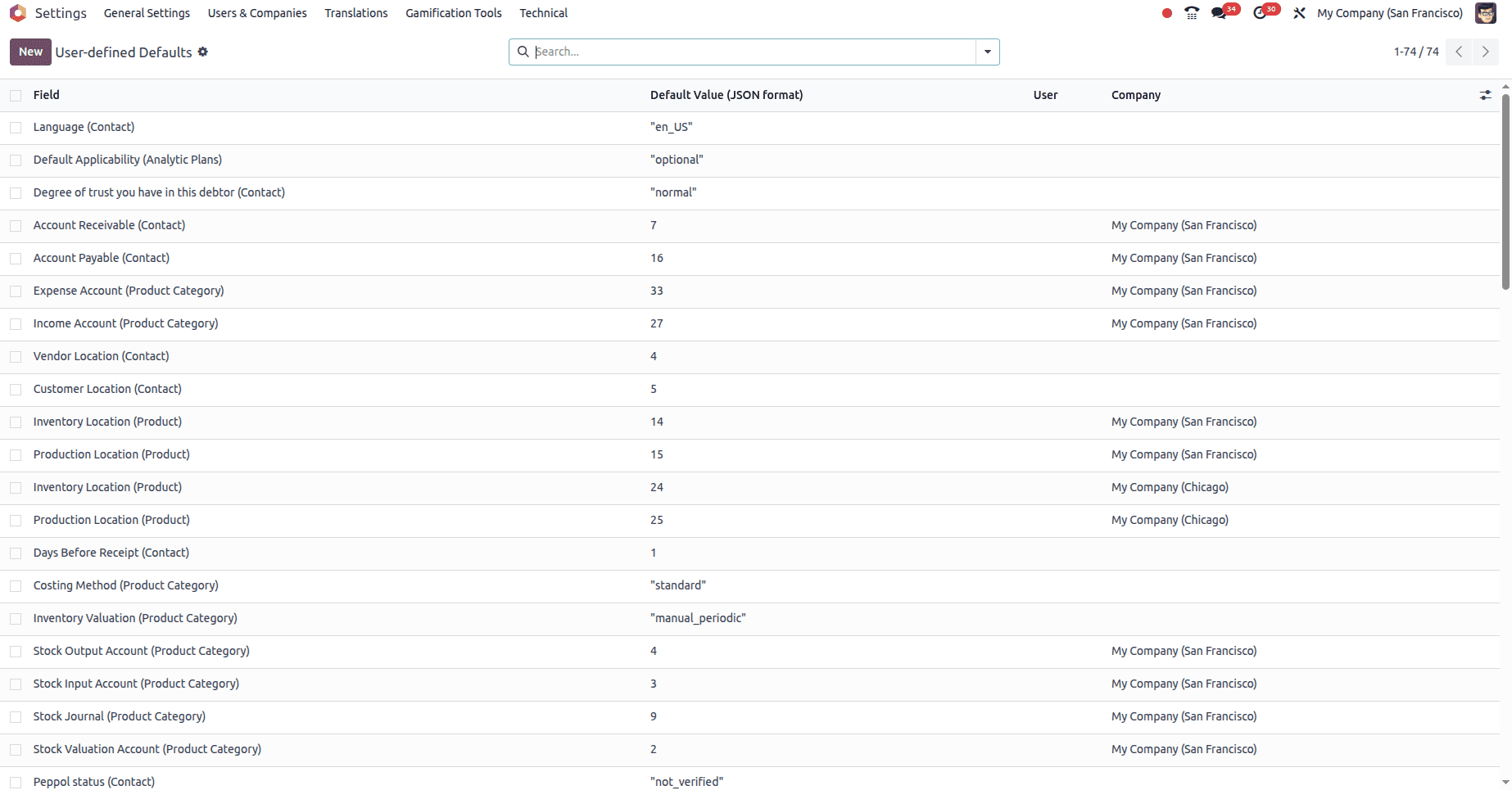
And you can click on the New button from the list view to create a new default.
Below is the form view upon clicking the New button
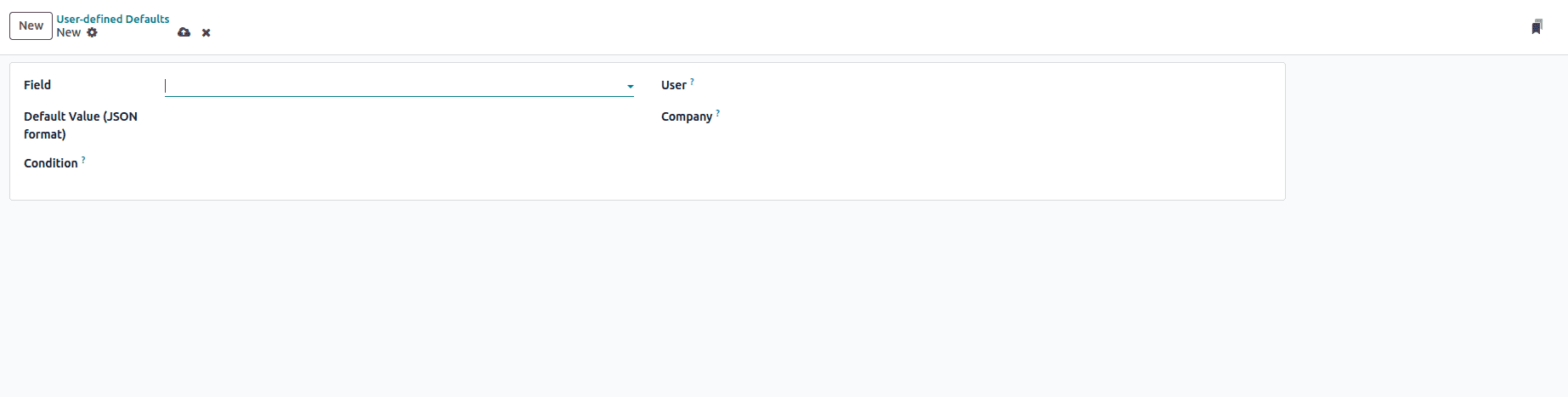
| Label | Usage |
| Field | Choose the field to which you want to set the default value. |
| Default Value | The value to set as default |
| Condition | If set, apply the default value upon the described condition. |
| User | If set, action binding only applies for this user. |
| Company | If set, action binding only applies for this company |
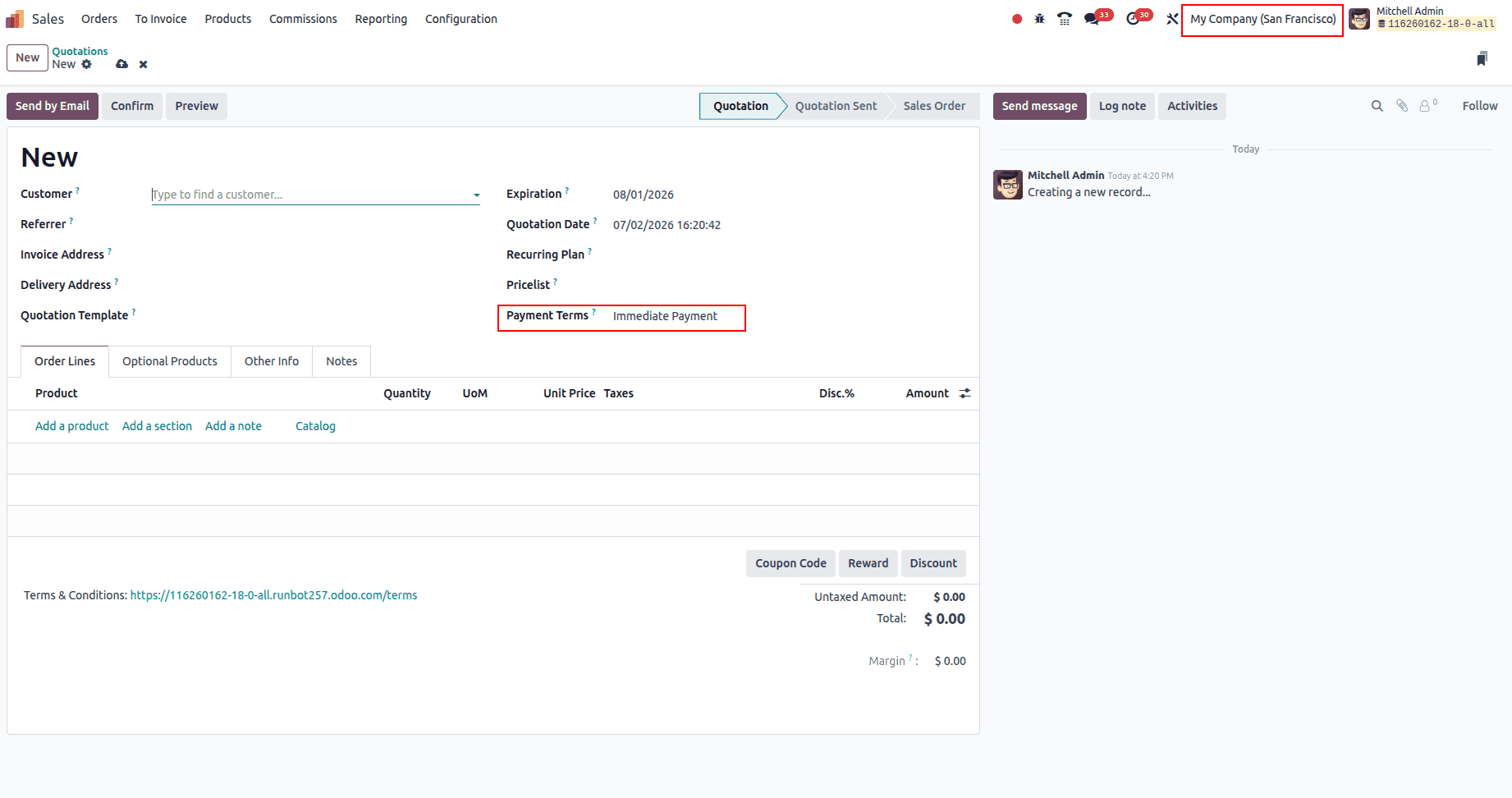
Now let's create a default value; we need to implement a business scenario in which if the current company is My Company (San Francisco), then the sale order Payment Terms (Sales Order) should be defaulted to Immediate Payment. From my database I know the ID value of the Immediate Payment is 1. Configure the User-defined default to the one described below to achieve this.
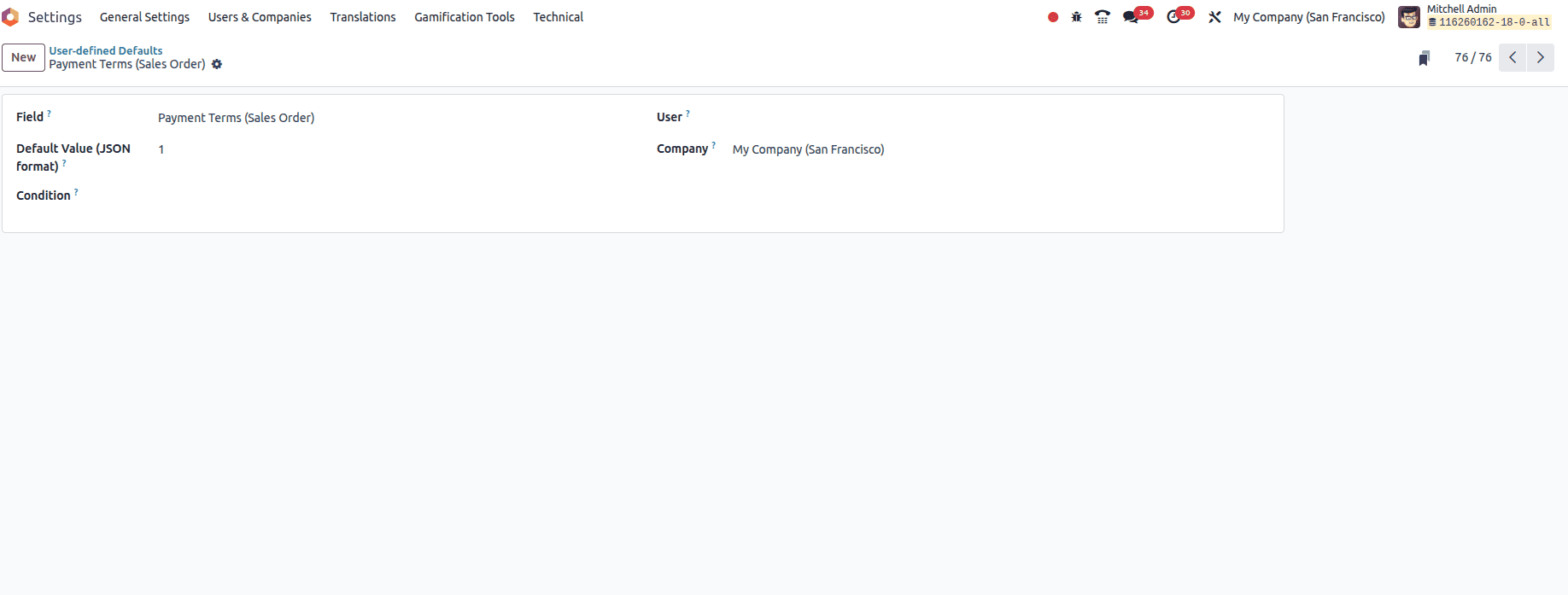
If you need this to be achieved based on the logged-in user as an extra condition, then you can configure the user field value based on your need.
Now let's open a new sale order from My Company (Chicago), and you can see the empty field value
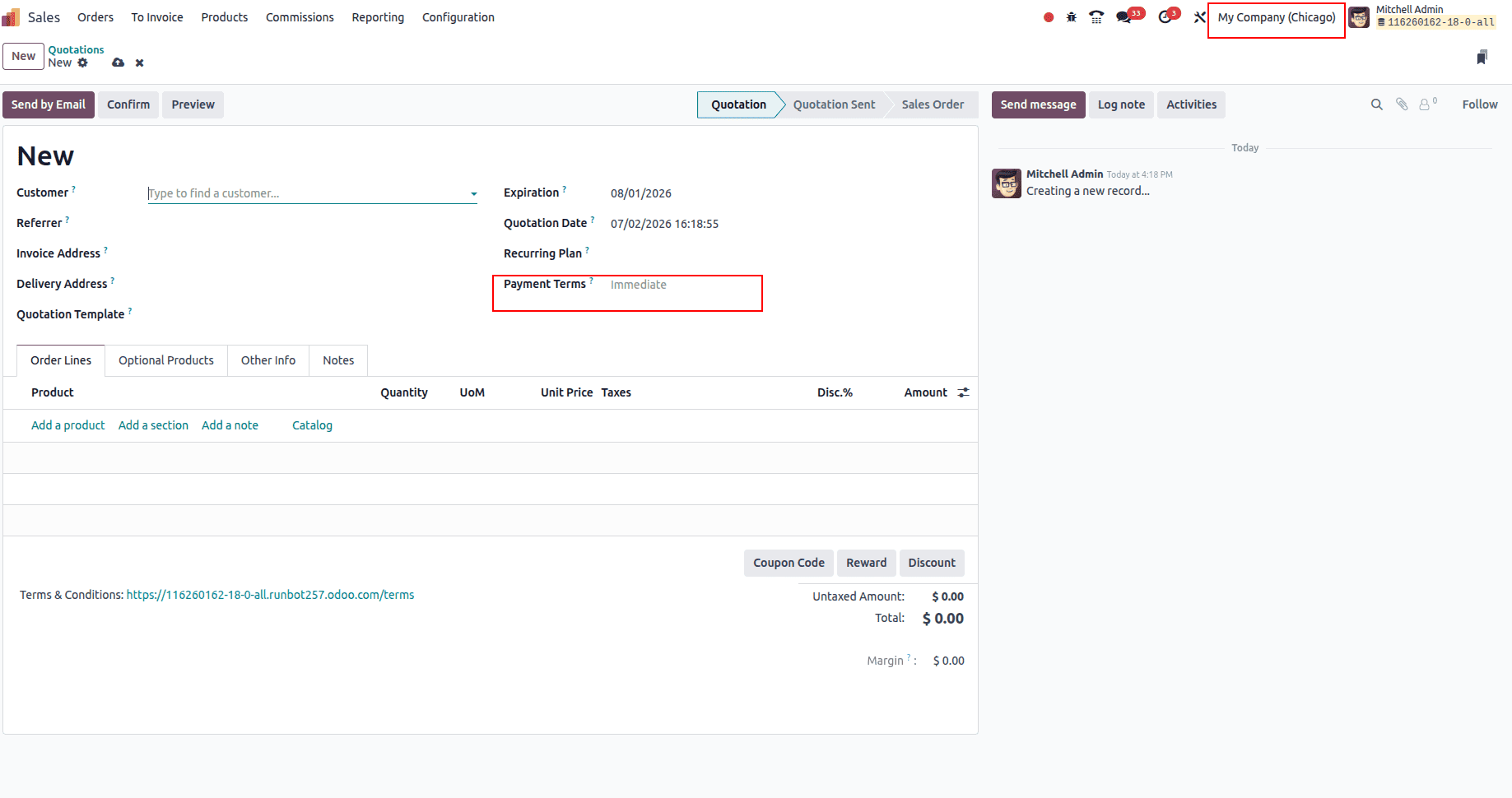
Now let's create a new sale order from My Company (San Francisco) and you can see the default value applied to Payment Terms
In this blog we discussed how to set the default value to a specific field in your Odoo based on the conditions. This is a very efficient way provided by Odoo to set a default value and highly applicable where customization is hardly possible.
To read more about What are User-defined Defaults in Odoo 19, refer to our blog What are User-defined Defaults in Odoo 19.