The Odoo 19 Helpdesk module provides a convenient approach for handling customer’s requests along with monitoring the quality of services and staff's performance. Among the crucial metrics that can be used for assessing the helpdesk performance are the SLA Success Rate and the Average Customer Rating.
The SLA Success Rate reflects how effectively and timely the support teams comply with the deadlines set in their Service Level Agreement. Measuring the percentage of tickets resolved during the established time period enables businesses to understand the efficiency of their responses and pinpoint the possible areas of improvement. The Average Customer Rating gives valuable information about customer satisfaction, based on the received ratings following the customer service experience. Customers rate the level of satisfaction on a scale of 1-5, where 1 means dissatisfied and 5 - satisfied.
Together, these metrics enable Odoo 19 users to monitor helpdesk performance, detect recurring service delays, evaluate customer experiences, and make informed improvements to their overall support workflow. This blog explores how Odoo 19’s Helpdesk module helps businesses monitor and improve key support metrics such as SLA Success Rate and Average Rating.
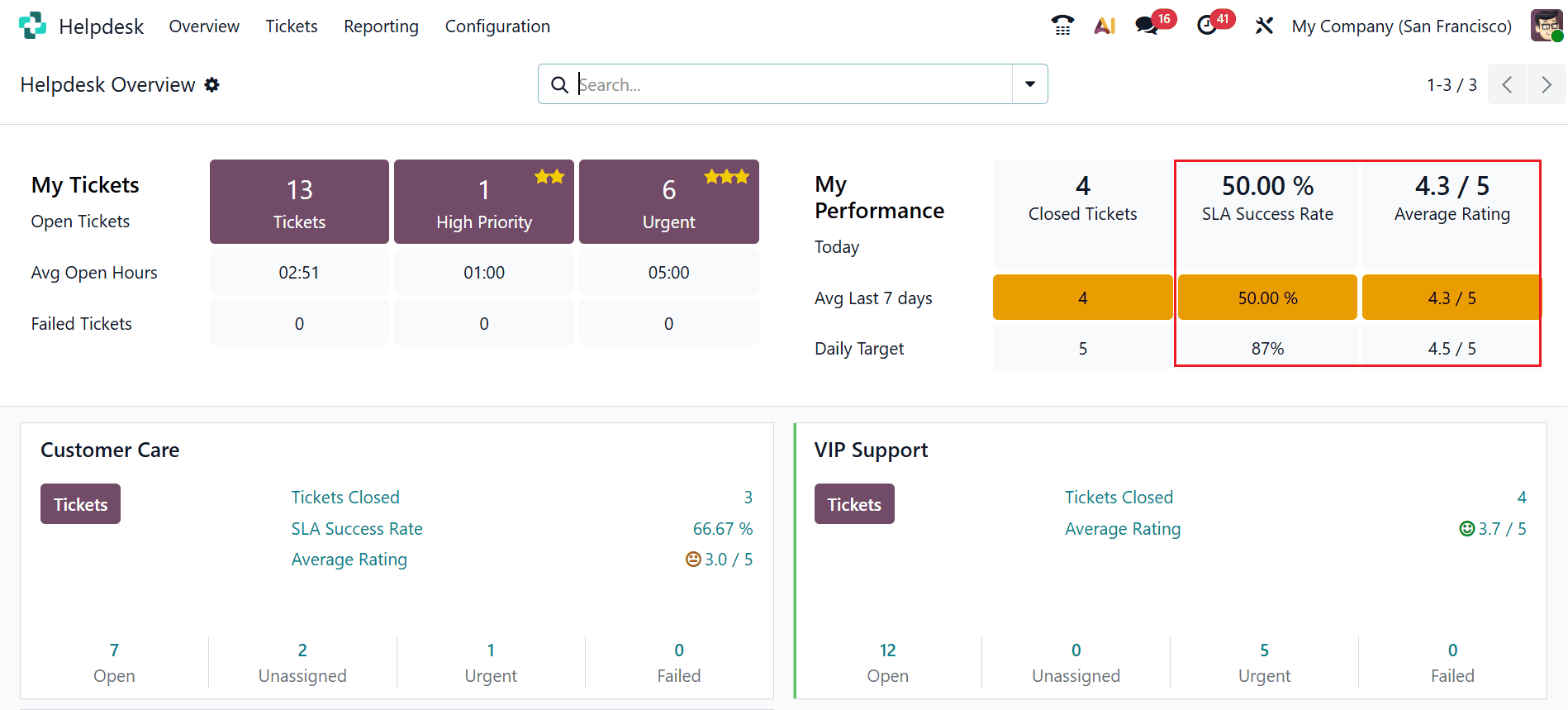
Open the Helpdesk module in Odoo 19. The main dashboard provides an overview of key support performance indicators, including the SLA Success Rate and Average Rating, as shown in the image below.
SLA Policies in Odoo 19
To configure SLA policies, navigate to the Configuration > SLA Policies and click on the New button as shown below:
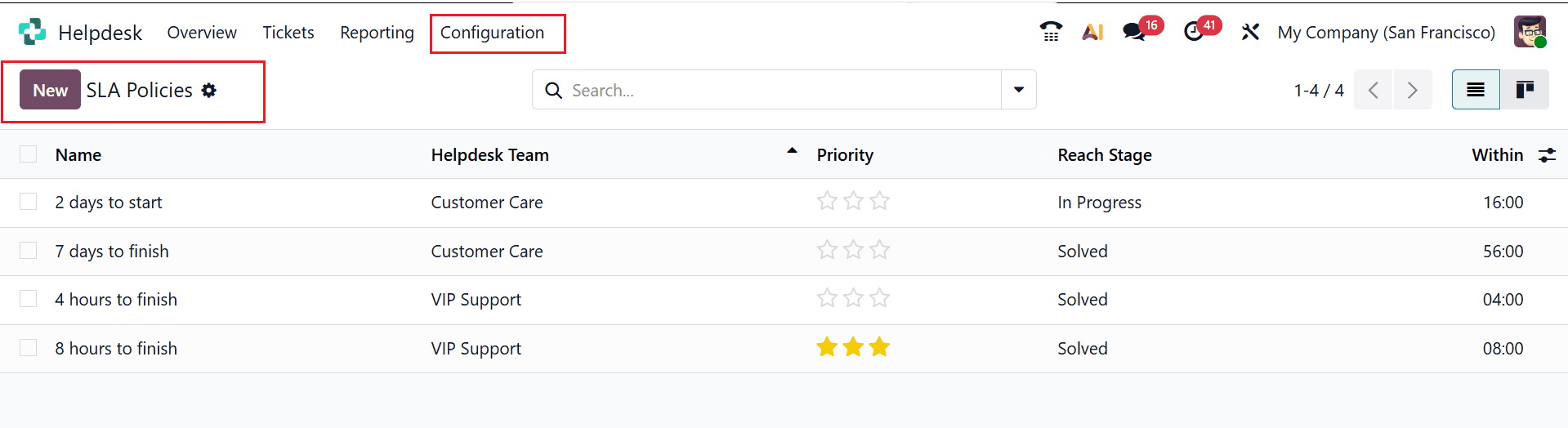
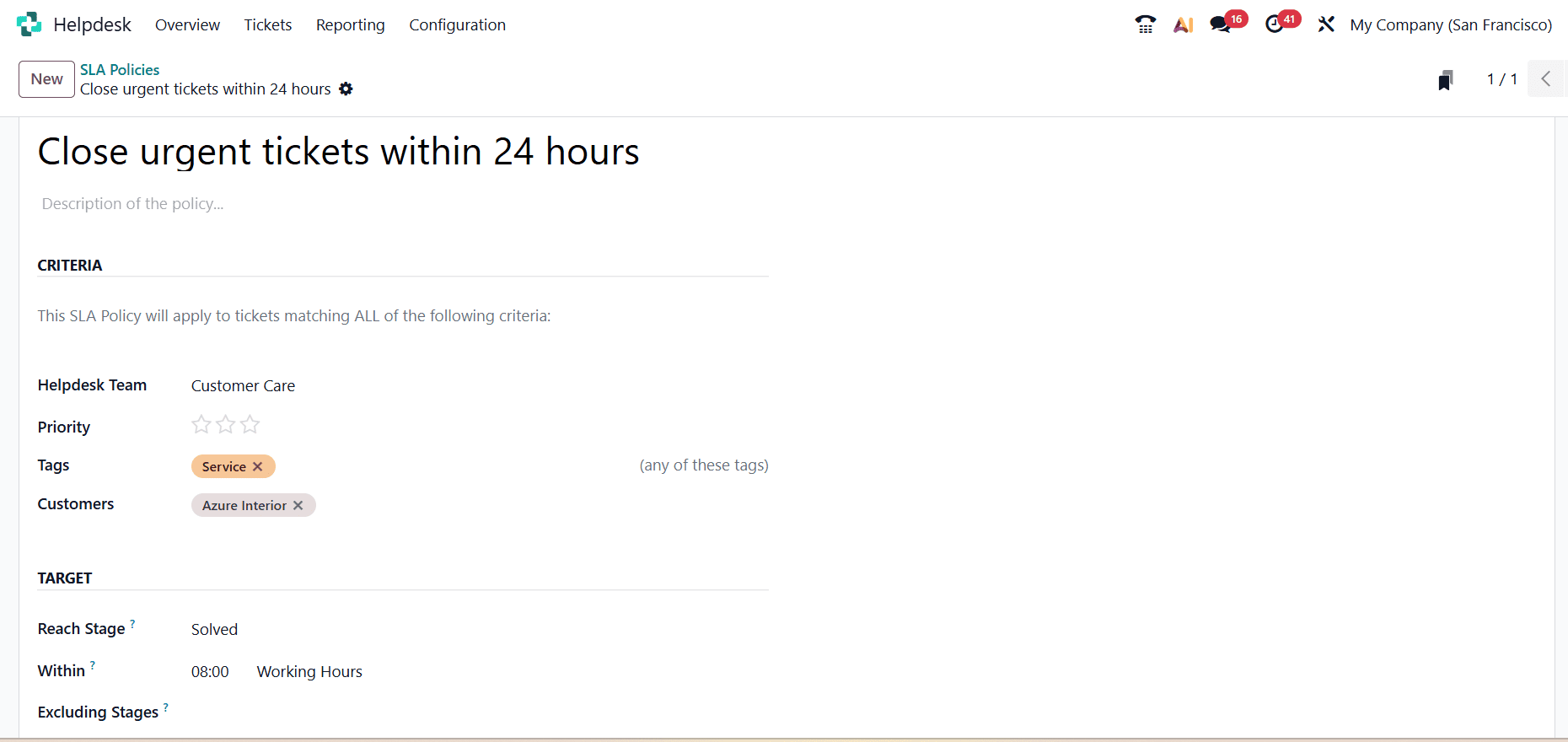
Here, define the criteria under which the policy should apply. You can assign the policy to a specific Helpdesk Team, set conditions based on Priority, and use Tags to categorize tickets. The policy can also be limited to specific Customers or Companies. Next, configure the SLA target by selecting the Reach Stage, such as Solved or In Progress, and defining the required time limit, for example, 8 hours for resolution. Odoo 19 also allows you to exclude specific stages from the SLA deadline calculation, providing greater flexibility when managing ticket resolution timelines.
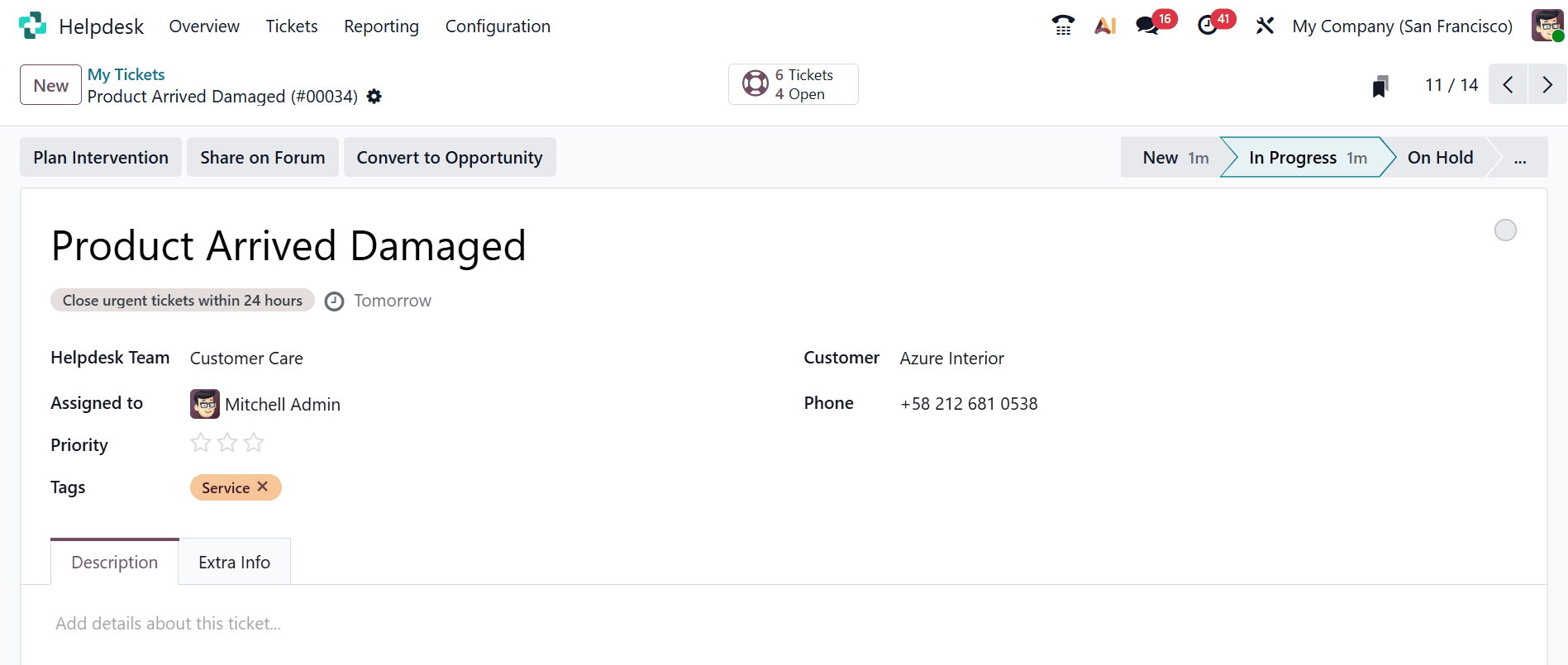
Once an SLA policy is configured, Odoo 19 automatically applies it to tickets that meet the defined criteria. Under the My Tickets menu, create a new ticket where the system calculates the SLA deadline based on the configured working hours and continuously monitors the ticket to determine whether the target is achieved within the specified timeframe.
Analyzing SLA Performance
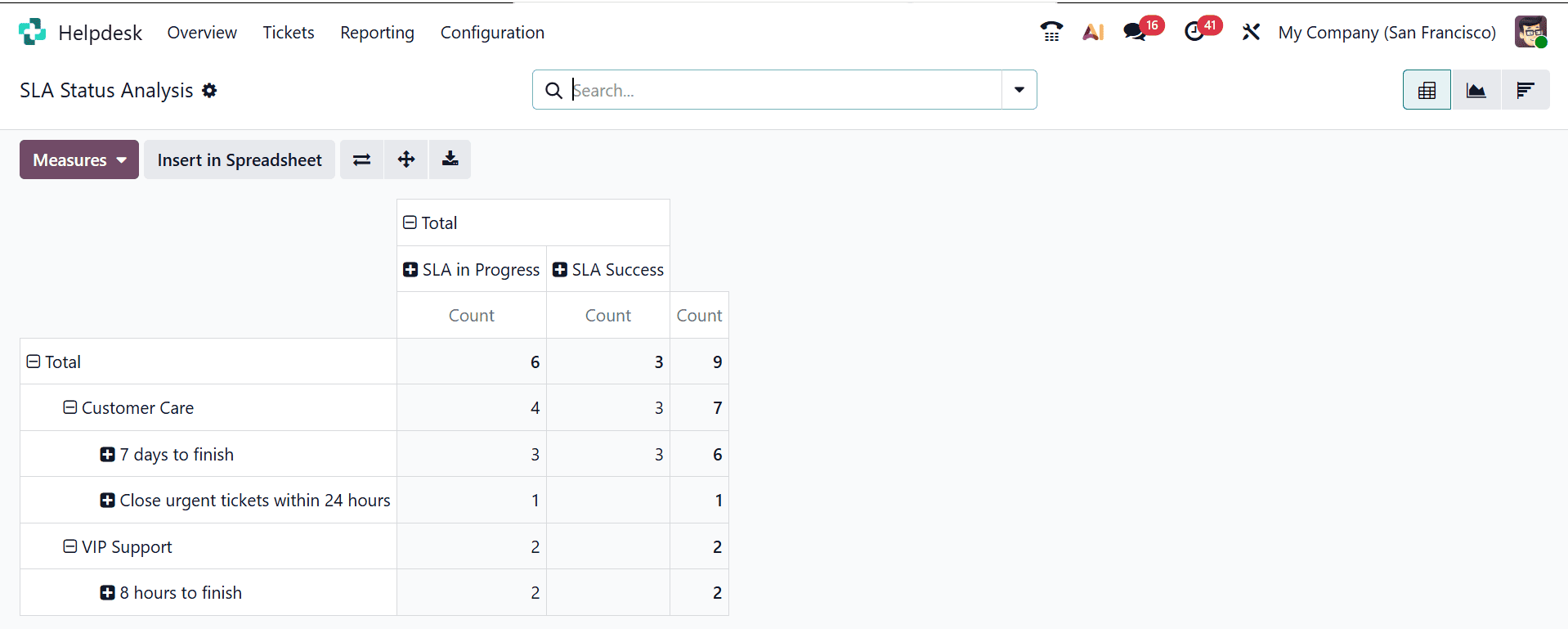
Odoo 19 provides the SLA Status Analysis report to help businesses evaluate how effectively their support teams are meeting SLA commitments. You can access it through Helpdesk > Reporting > SLA Status Analysis, where the pivot view summarizes SLA results by team and shows tickets that are successful, ongoing, or failed. Using the Measures option, you can review SLA counts and failed tickets to determine the overall success rate.
Average Ratings in Odoo 19
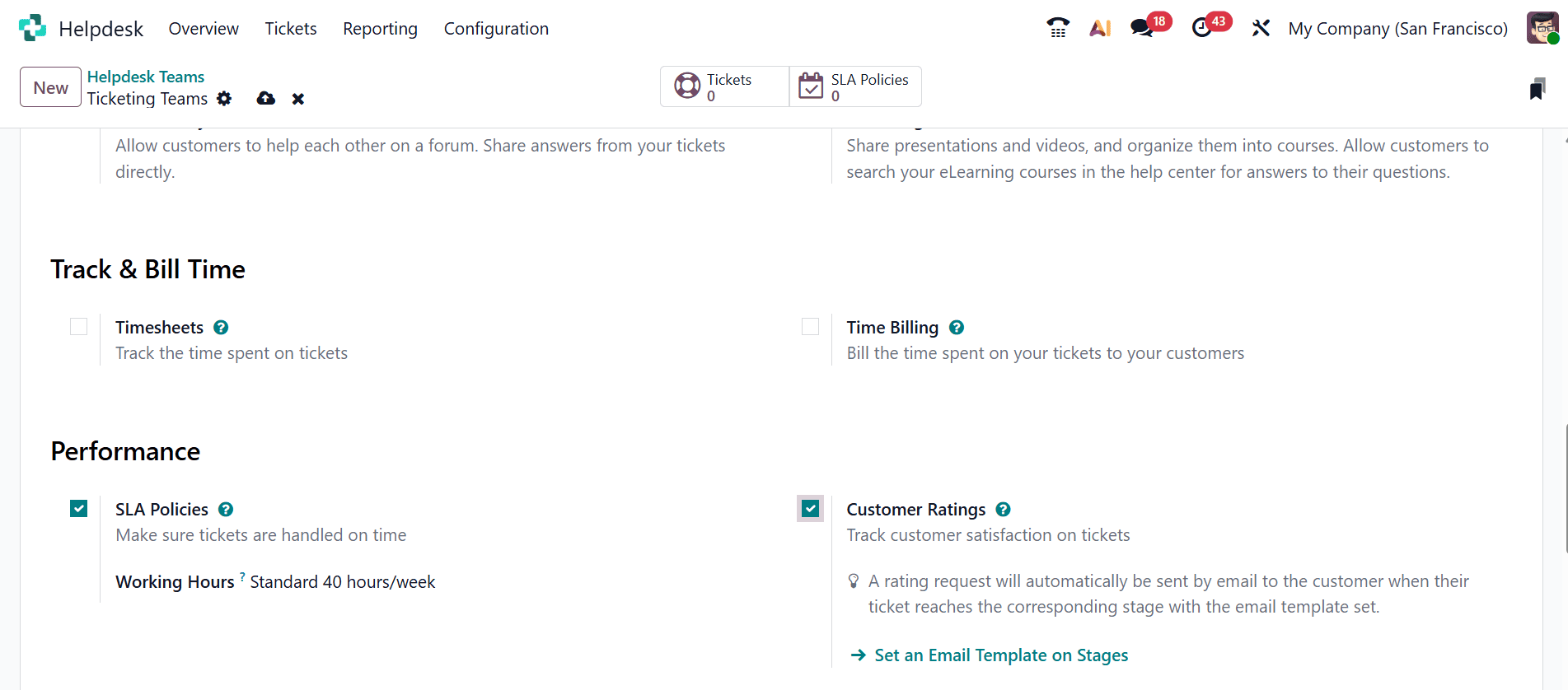
To enable customer feedback in Odoo 19, go to Helpdesk > Configuration > Helpdesk Teams and select the team you want to configure. In the team settings, locate the Performance section and enable the Customer Ratings option. You can then create concise and engaging email templates that are automatically sent to customers after a ticket is closed, inviting them to share their feedback about the support they received. This helps businesses collect valuable insights into customer satisfaction and evaluate the quality of their helpdesk services.
Analyzing Average Customer Rating
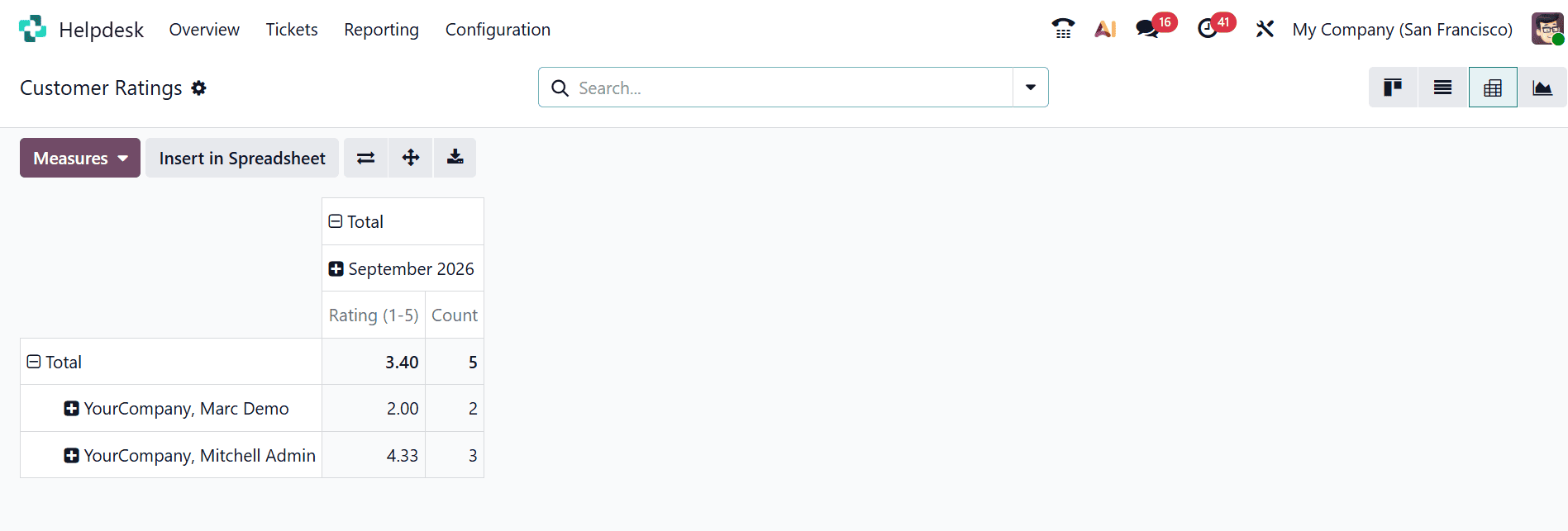
Odoo 19 allows you to monitor customer feedback and evaluate support quality through the Customer Ratings report. Navigate to Helpdesk > Reporting > Customer Ratings to view the feedback received from customers. The Kanban view displays individual ratings and comments, along with links to the related support tickets. You can also switch to the Pivot or Graph view and select the Rating (/5) measure to analyze the Average Rating. Applying filters such as Helpdesk Team, Priority, or Date Range makes it easier to identify trends and recurring issues, such as consistently lower ratings for particular types of support requests.
The Helpdesk of Odoo 19 is able to provide useful features that will allow measuring the performance of the support team and the satisfaction of the customers via SLA Success Rate and Average Rating. The monitoring of SLAs will help the team to fulfill all the deadlines for services, while the feedback from the customers will show the quality of support provided. Thus, companies will be able to detect all possible delays and customer complaints and optimize their processes.
To read more about Overview of SLA Success Rate and Average Rating in Odoo 18 Helpdesk, refer to our blog Overview of SLA Success Rate and Average Rating in Odoo 18 Helpdesk.