Audit trails are one of the most essential elements that contribute to transparency and accountability in financial operations. They ensure a chronological list of all transactions, which makes it easy to track and verify each entry without any problem. By identifying errors, fraudulent actions, or inconsistencies, audit trails help in maintaining the financial integrity of the organization and ensure the regulatory compliance of the organization. Furthermore, audit trails increase the credibility of financial statements because every financial operation will be recorded and verified. Therefore, audit trails offer businesses a reliable foundation. Odoo Accounting also has its own audit trail, which is an inherent security tool that provides accountability, transparency, and regulatory compliance. The Audit Trail is a feature that logs all transactions and changes that occur in the accounting system.
The main idea of using the Audit Trail feature in Odoo Accounting is tracking all financial transactions and all actions performed within the accounting system. It means that all the changes in the accounting module will be recorded and any edits to financial records will be traceable.
- Recording Each Modification
As soon as this feature is enabled, the Audit Trail will register any changes made in journal entries, invoices, and other financial documents by documenting who changed something, when it was changed, and what exactly was changed. Such detailed record keeping is important for internal monitoring as well as for external audits.
The Audit Trail can help your business comply with financial regulations and the requirements of tax law. In jurisdictions such as the US and the EU, where high levels of auditability are required, this tool will come in handy, providing necessary documentation.
- Improving Security and Accountability
As it links each particular change to a particular user, the Audit Trail improves accountability in your accounting department and also protects you against possible fraud or any unauthorized editing of financial information.
Combining Audit Trail with User Access Control
Being integrated with access control in Odoo, this feature will make sure that only authorized users can do the sensitive work with your documents. As a result, you will be able to trace any suspicious activity very quickly.
The Audit Trail feature is available in Odoo 19 in Accounting > Settings.
Audit Trail is the section where every single change that the user makes to the invoice is recorded. Thus, the whole history of changes will be available for the auditor in one click. It is possible to see who performed a particular change and when. In order to view the entire history of changes in an invoice, you need to go to the Audit Trail.
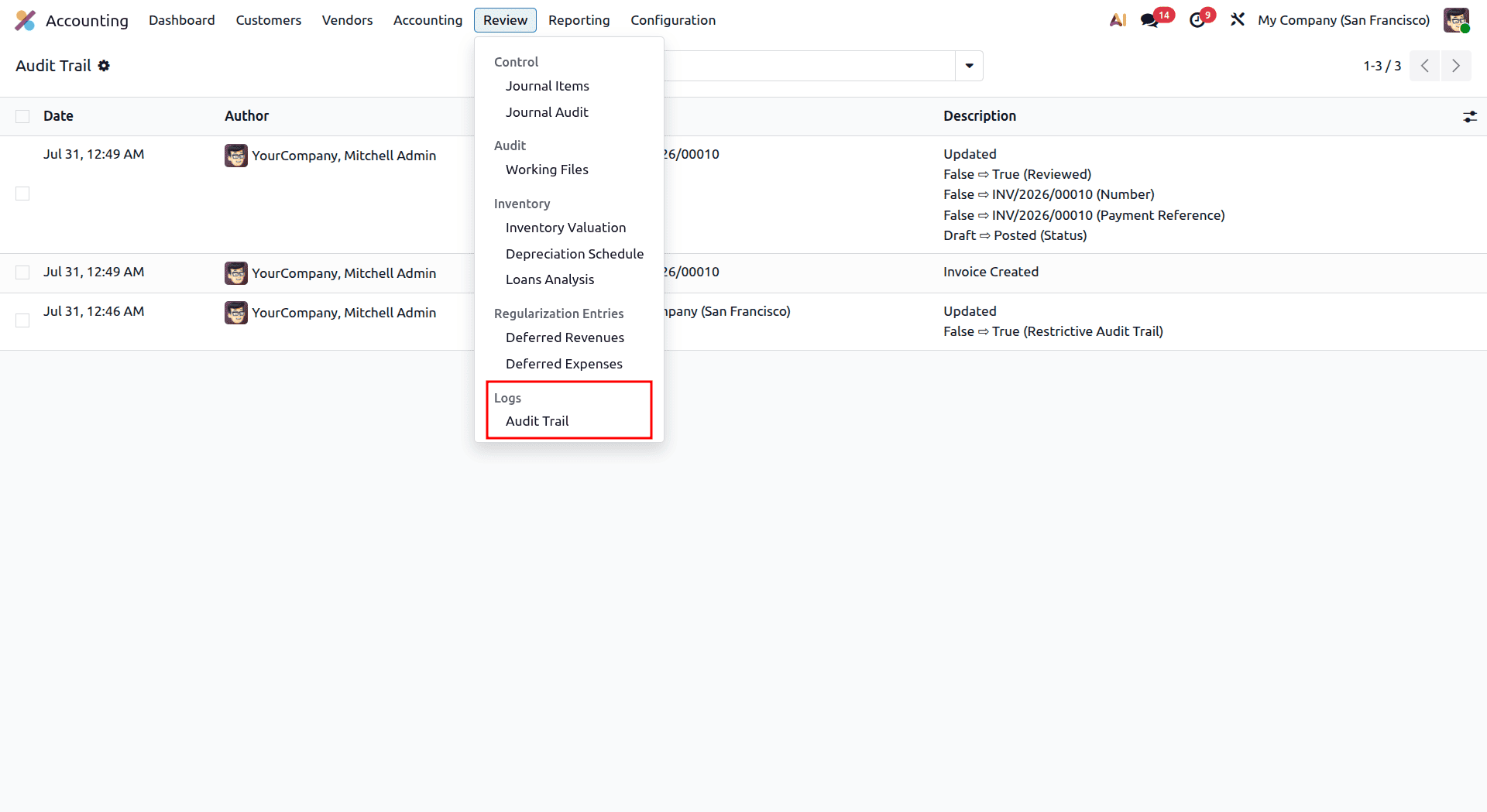
On opening the Audit Trail, we can see the actions that have already been performed.
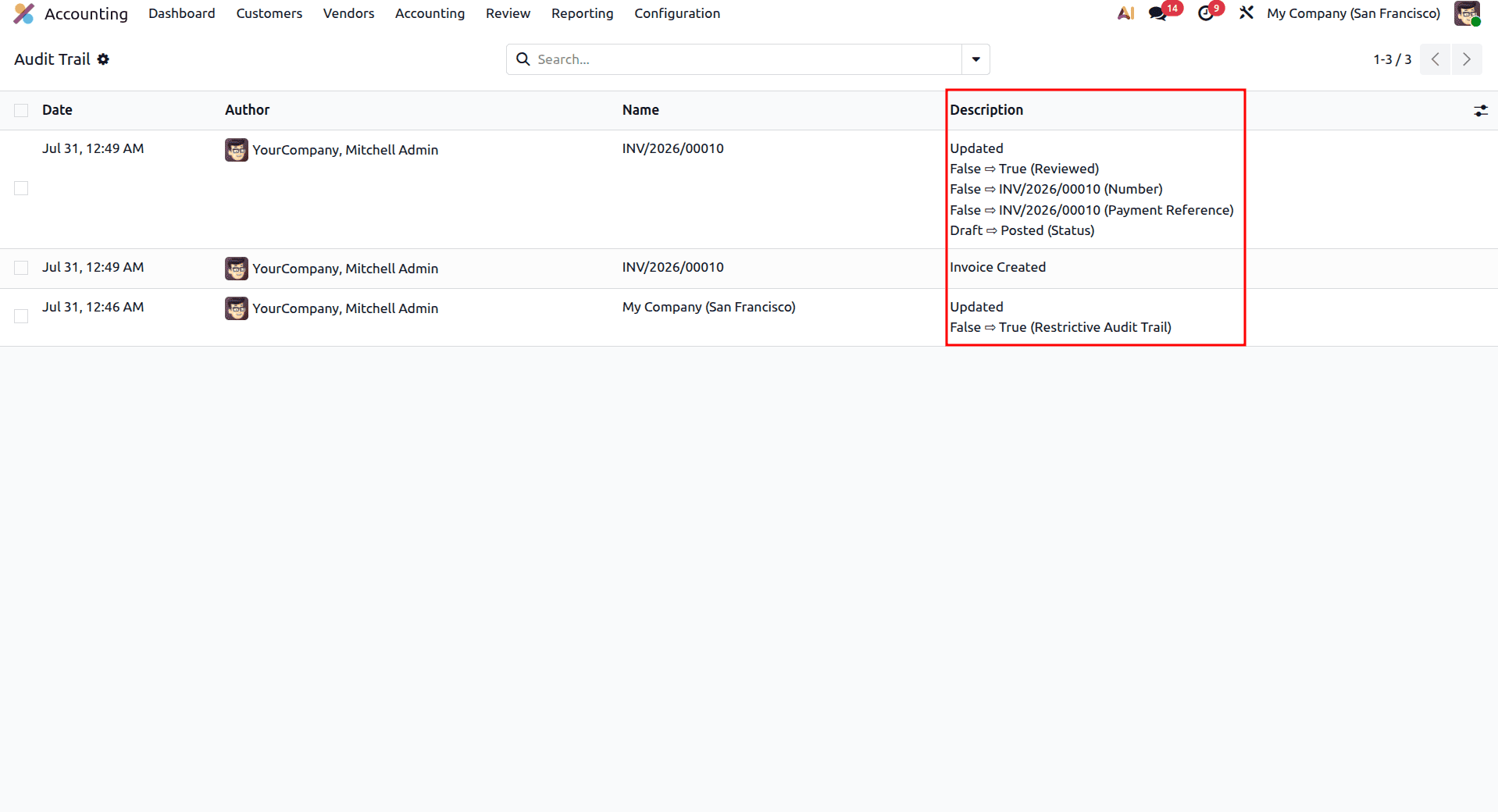
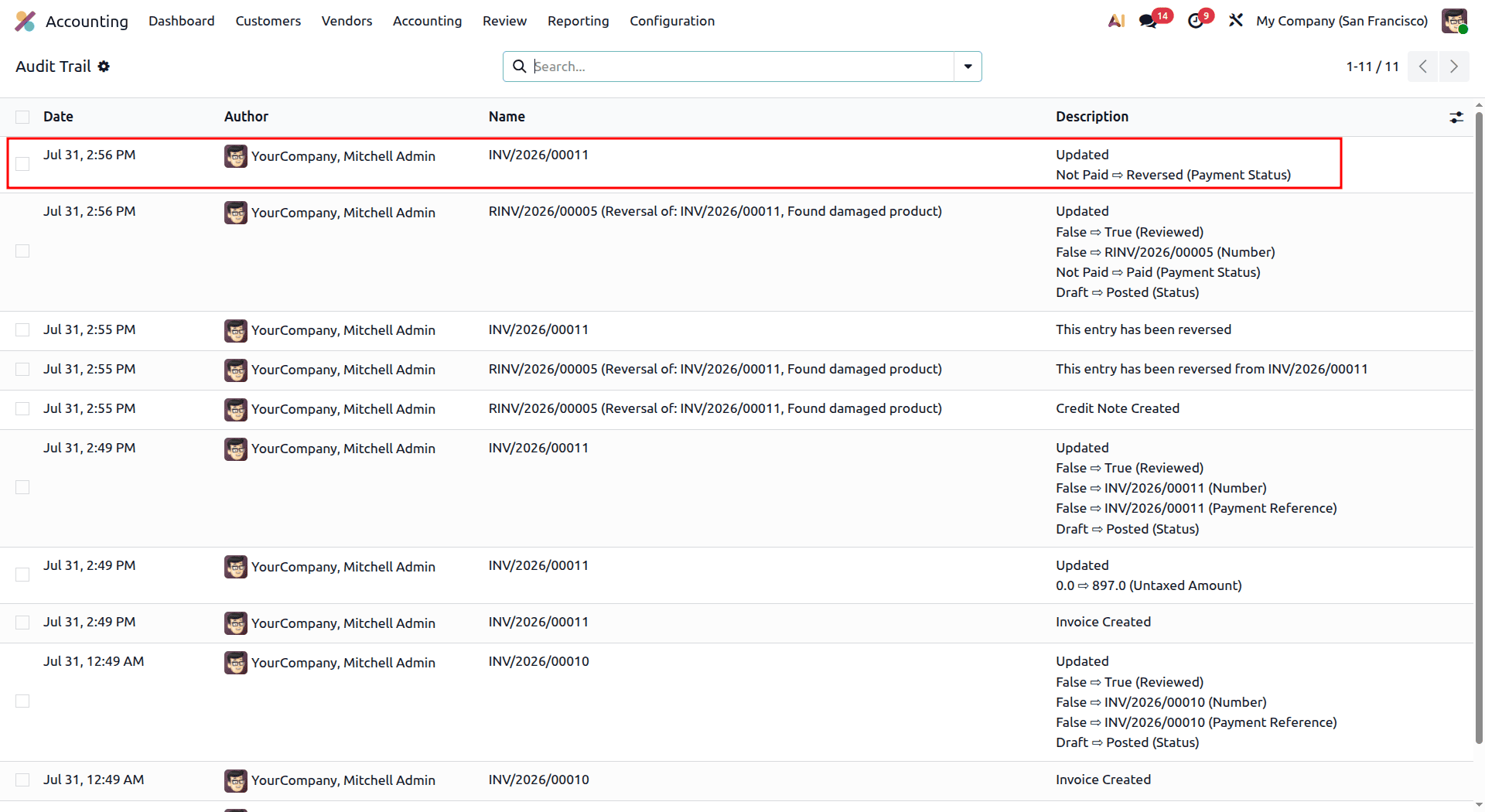
The Audit Trail provides useful details, including the date, creator of the action, journal entry, and the action itself, as illustrated above in the picture.
Let us examine the generation of an Audit Trail Report by looking at an example. Start by going to the Invoices menu, then add a new customer invoice, as shown below.
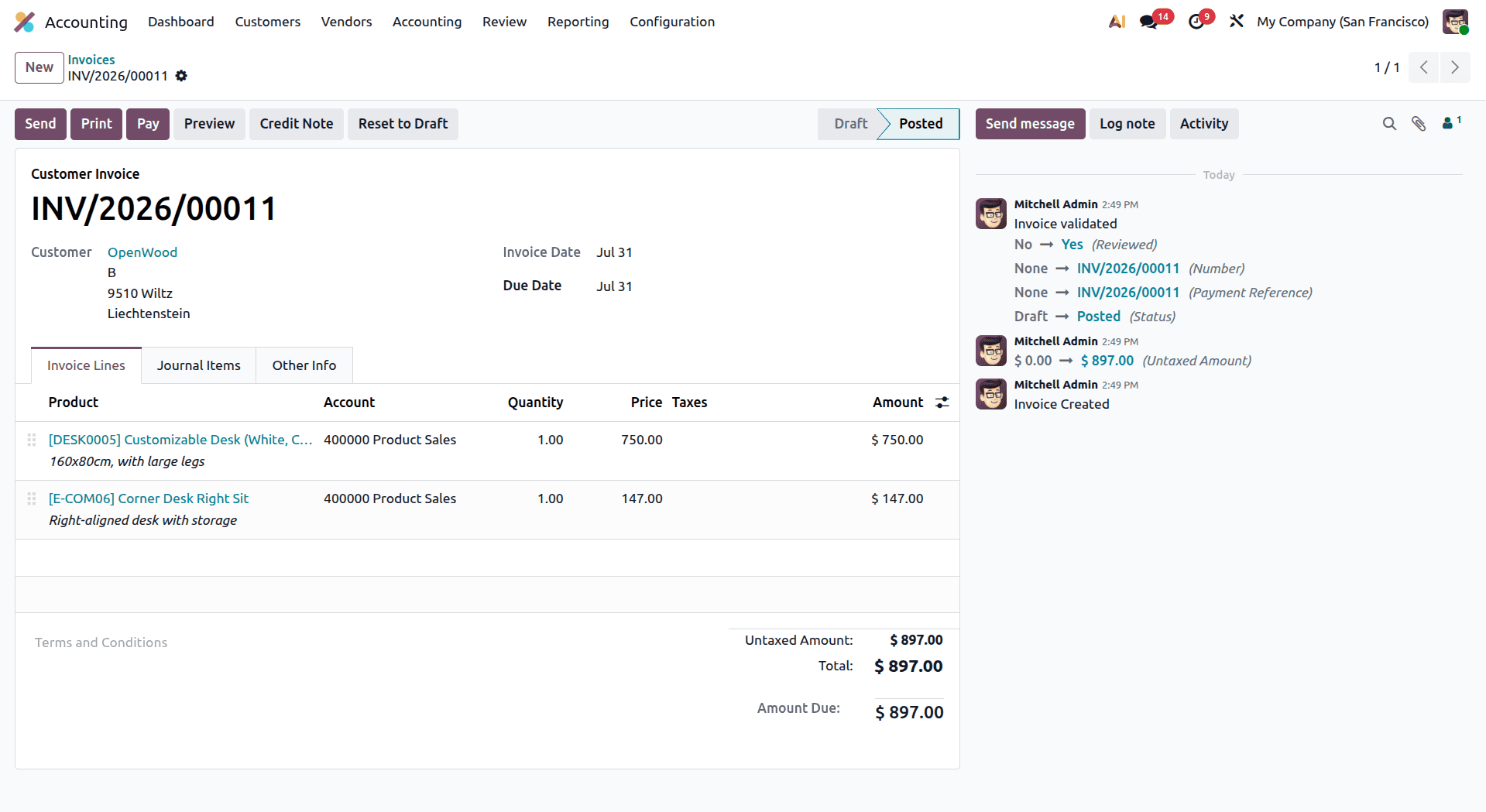
After clicking on the Audit Trail, you will be able to view the new record, along with all the information related to the latest changes made to the invoice. The Audit Trail provides all the necessary information about the modifications made to the document.
Now, let us proceed with reversing the payment by creating a product return. In this case, the Audit Trail records all of the changes as well.
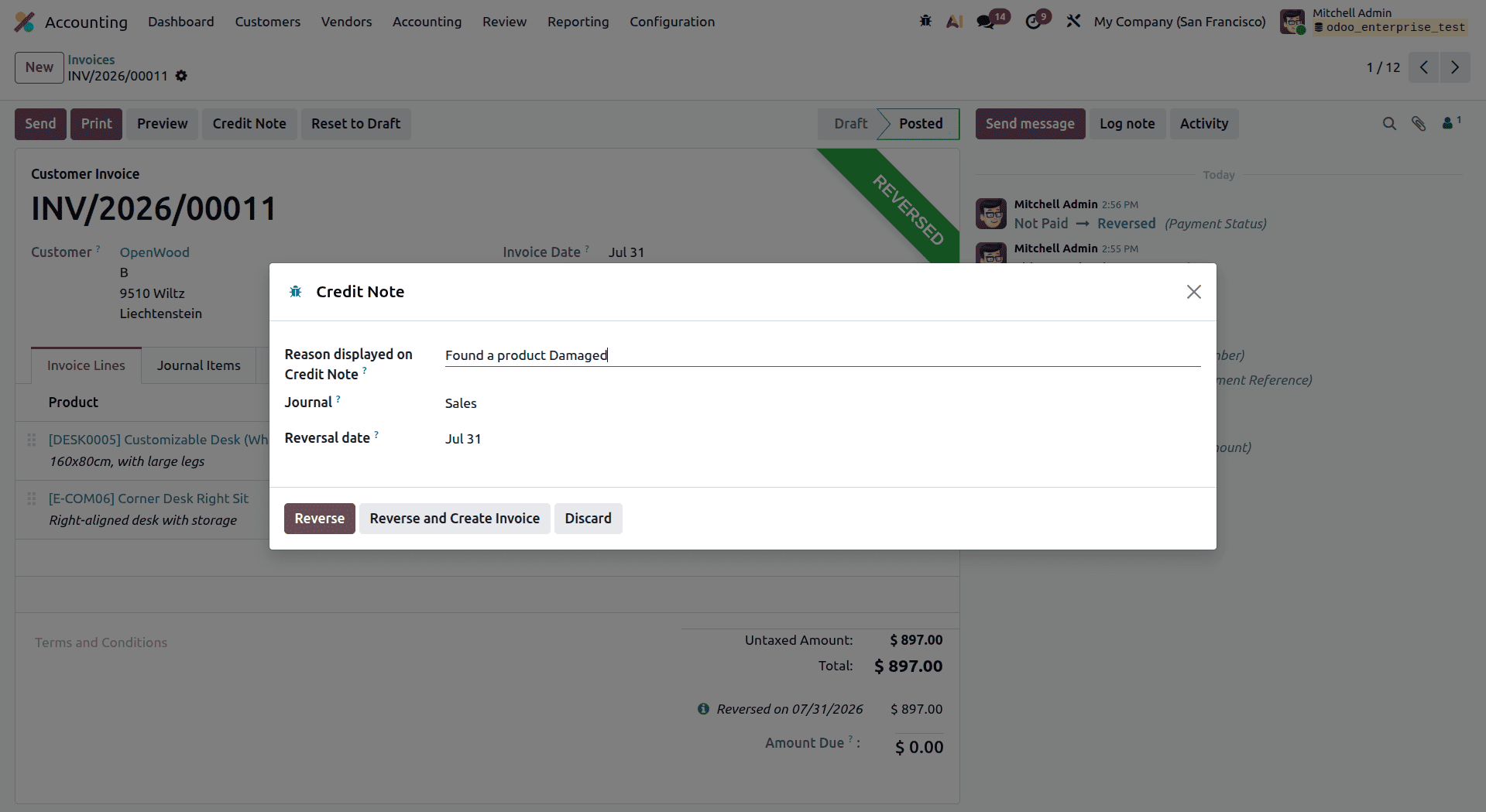
Click on the Reverse button and see the change in the invoice.
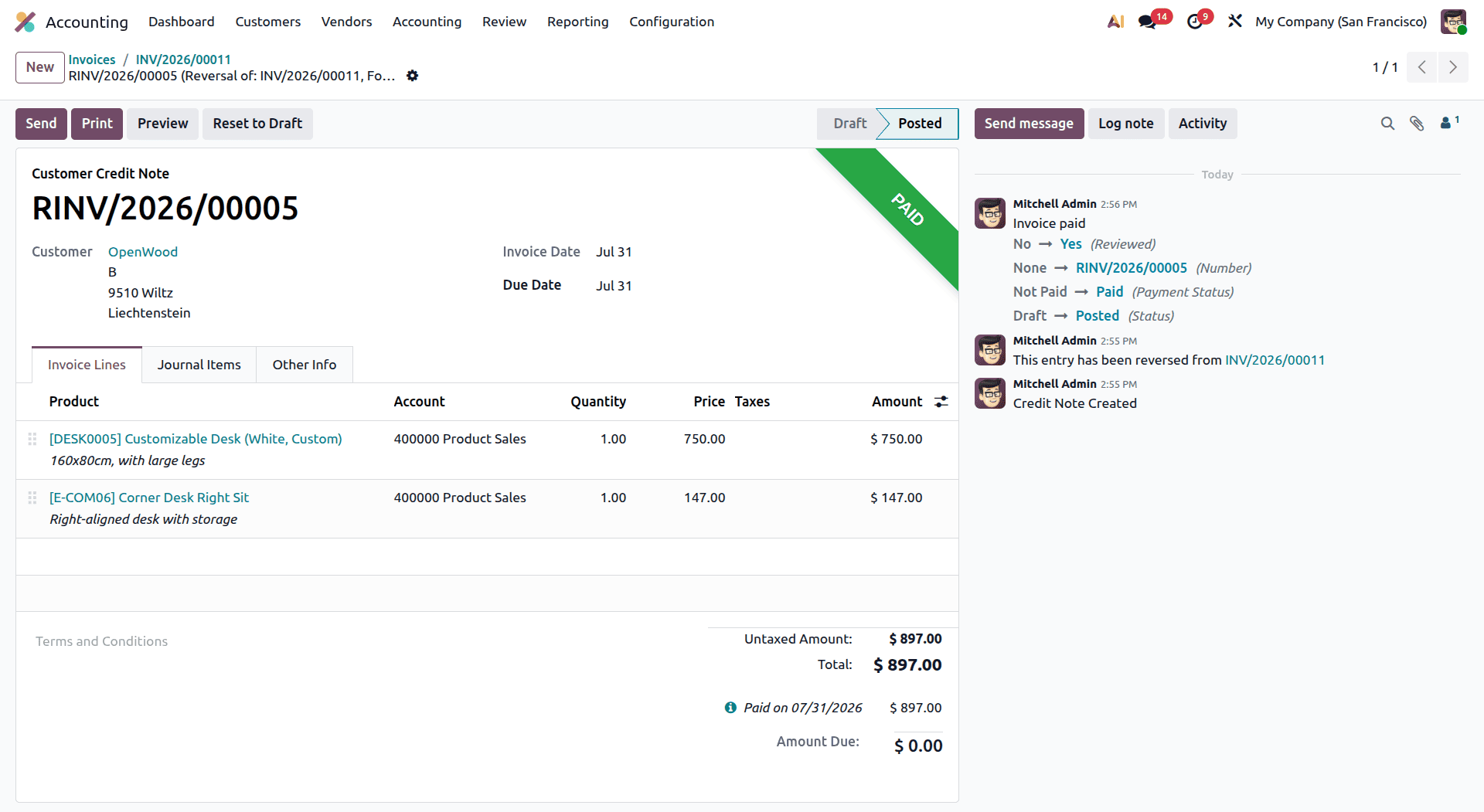
As you can tell, the invoice is now reversed. You need to go back to the Audit Trail to check out the recent changes that have been made. The audit trail has the new information regarding the reversal transaction that has been recorded for you.
The Odoo Accounting module offers a very efficient means of handling all of the company's finances. The module allows for different configurations that include Accounting Settings, Payment Methods, Management Options, Analytic Accounting, Invoicing Configuration, and Bank Payment Configuration, enabling businesses to customize the module based on the operational and financial needs of the business.
Another useful addition to Odoo Accounting is the Audit Trail, which provides complete tracking of all the accounting actions done in the system. Through the audit trail, the company can get a full record of all financial transactions and changes made, which will improve transparency, increase accountability, and make auditing easier.
In general, the audit trail is a valuable asset for any business using Odoo Accounting.
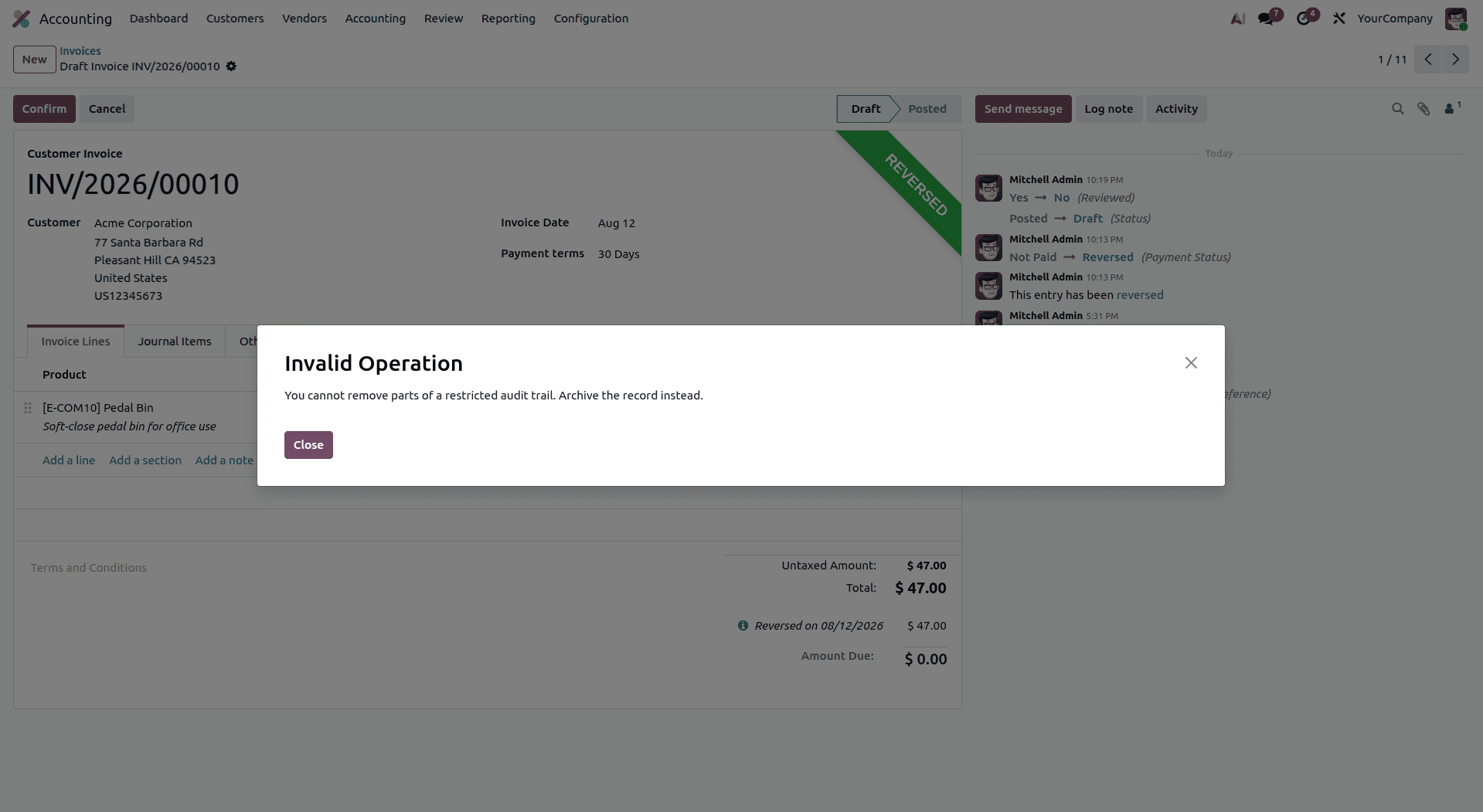
Odoo 19 has a wonderful feature to keep the records safe by introducing the Restrictive Audit Trail option.
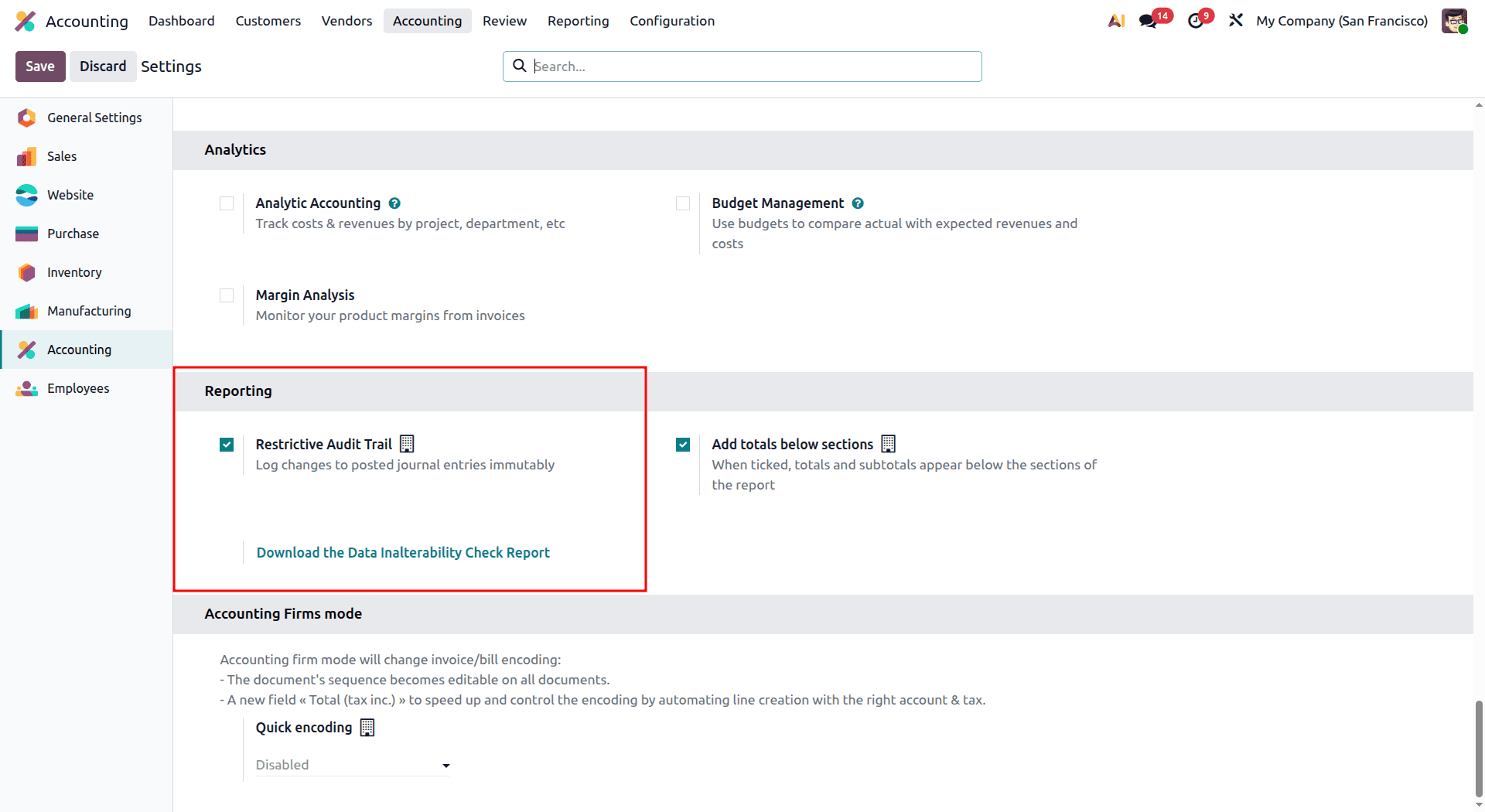
After we enable the Restrictive Audit Trail option, in the next records we can see the Restrictive Audit Trail in the Description.
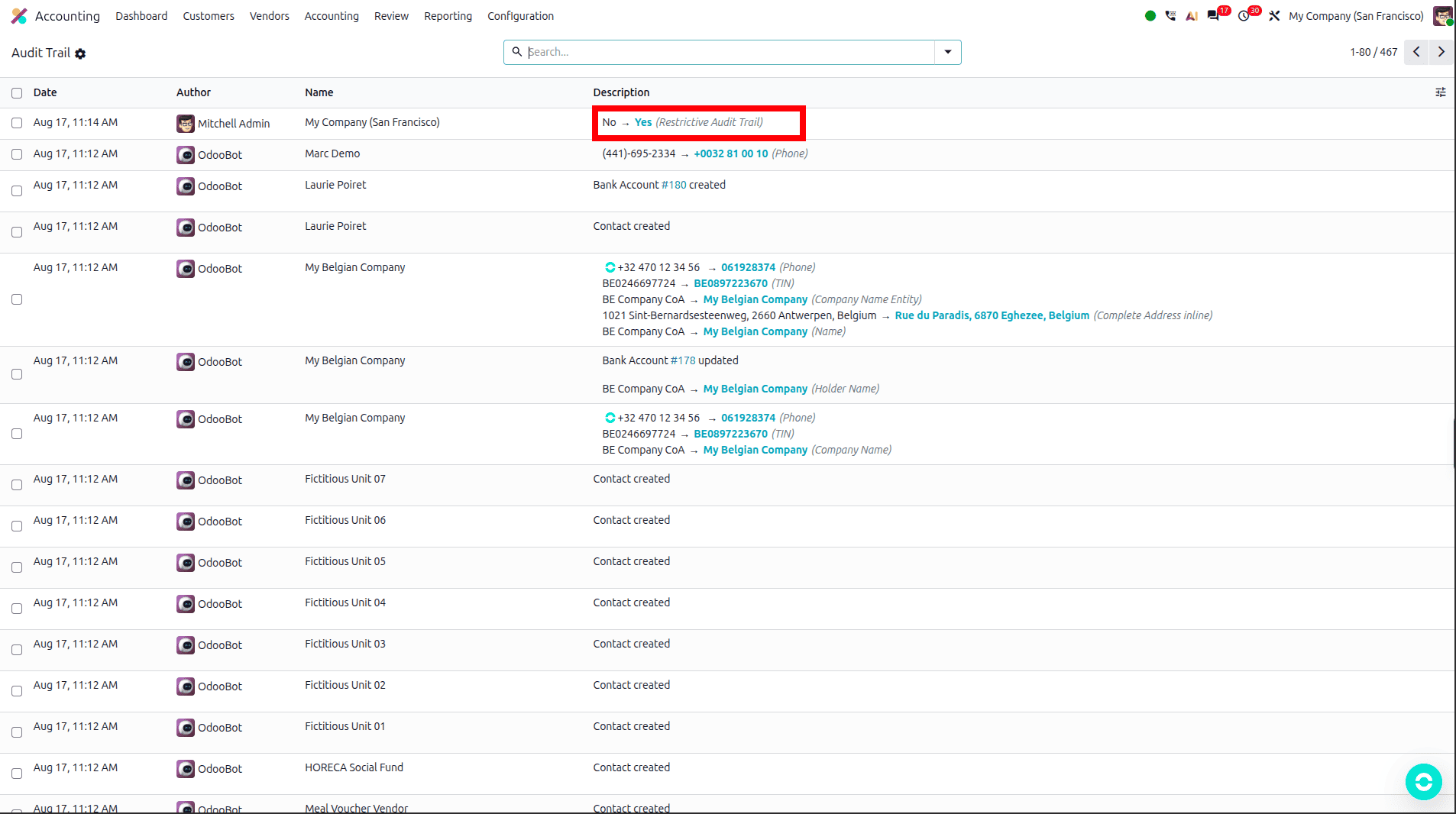
If the Restrictive Audit Trail is enabled, we cannot delete invoices once posted any longer - regardless of whether you've set them to draft.
With the new feature in Odoo 19 Accounting known as Audit Trail, a completely new dimension of transparency is introduced into financial record-keeping. This new feature records all the changes made to journal entries, invoices, and other financial transactions in an automated way, providing companies with a tamper-proof trail of information. Not only does it ensure that all the actions are traceable, but it adds a level of accountability by associating each individual action with its specific user and ensuring compliance with regulations and tax laws.
For businesses that require a secure trail of documents and assurance of the correctness of the financial statements, it is quite an easy process to enable the Audit Trail function. Not only does it eliminate the chances of any fraud or unauthorized changes in financial data, but it also earns the business credibility for years to come.
To read more about Overview of Audit Trail in Odoo 18 Accounting, refer to our blog Overview of Audit Trail in Odoo 18 Accounting.