Manual implementation of changes on the Odoo 19 server can become repetitive very soon.
- Typical flow for that process:
- Code pushed on GitHub by developer.
- Connection to the server.
- Fetching the latest code.
- Odoo restarts.
- Module upgrade.
- Verification of the deployment.
In the case of a small project, this can be fine. However, as the development frequency goes up, manual execution of such a process brings some downtime and possible errors.
A much more efficient way would be to have GitHub inform about pushed code automatically on the Odoo server.
That is what GitHub Webhooks are for.
What is a Github Webhook?
GitHub webhook offers an easy means of sending notifications to other servers every time there is a change or any event in your git repository.
From this blog post, we are going to set up a webhook flow for Odoo 19.
We can develop a module for github webhook and offer a github push that triggers our Odoo webhook, and our code will result in a pop-up notification from the Odoo browser.
The reason why our odoo instance is running locally at:
http://localhost:8019
GitHub cannot directly access this address because localhost is only accessible from the local machine.
To allow GitHub to send webhook requests to our local Odoo server, we need to create a temporary public URL that forwards requests to the local Odoo instance.
For this, we can use either ngrok or Cloudflare Tunnel (cloudflared).
I have used cloudfared for now.
Install cloudflared and in the terminal provide the command.
cloudflared tunnel --url http://localhost:8019
This provides a public URL such as
https://replacement-task-gamecube-relations.trycloudflare.com/github/webhook (refer the image)
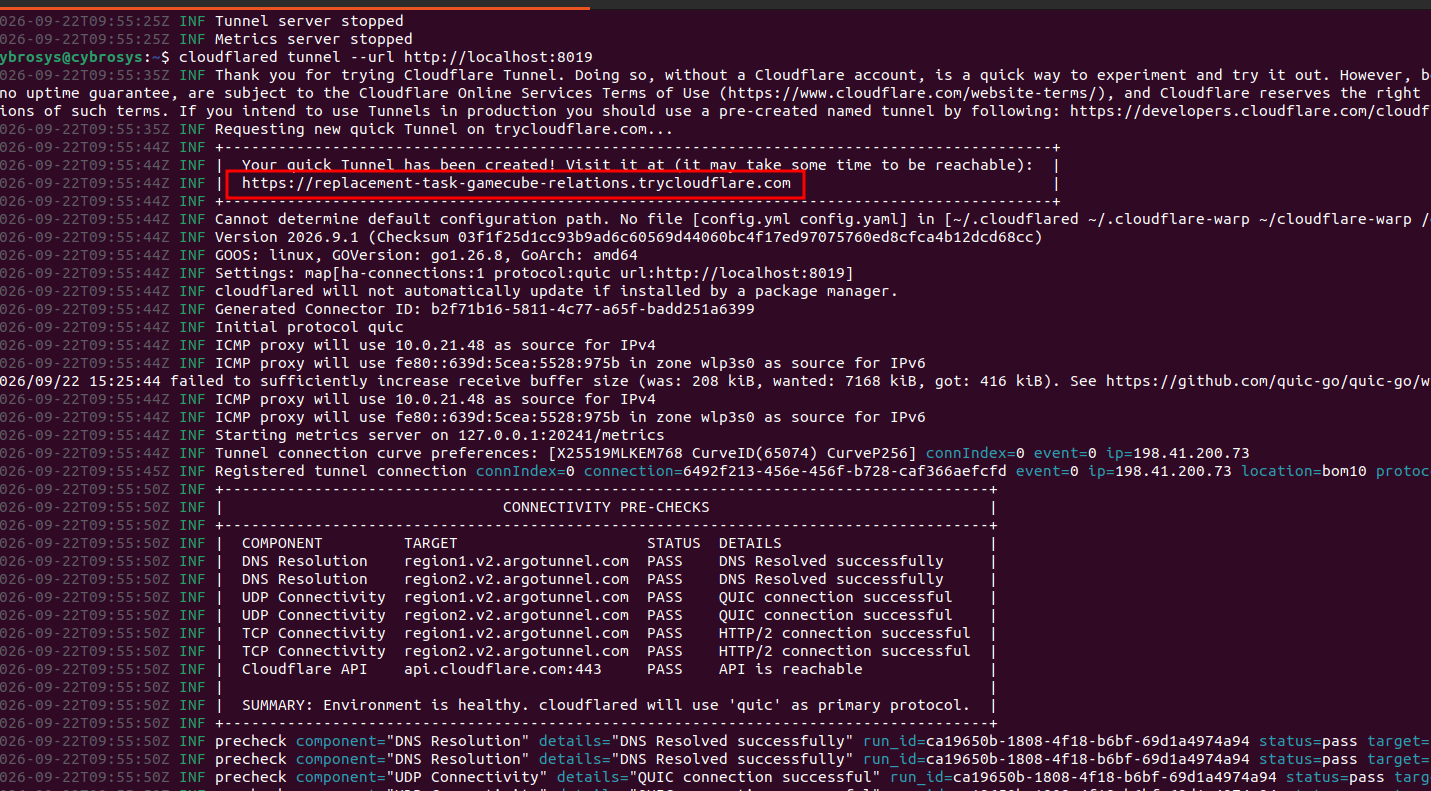
We can then configure the GitHub webhook using this link.
Configure Github Webhook
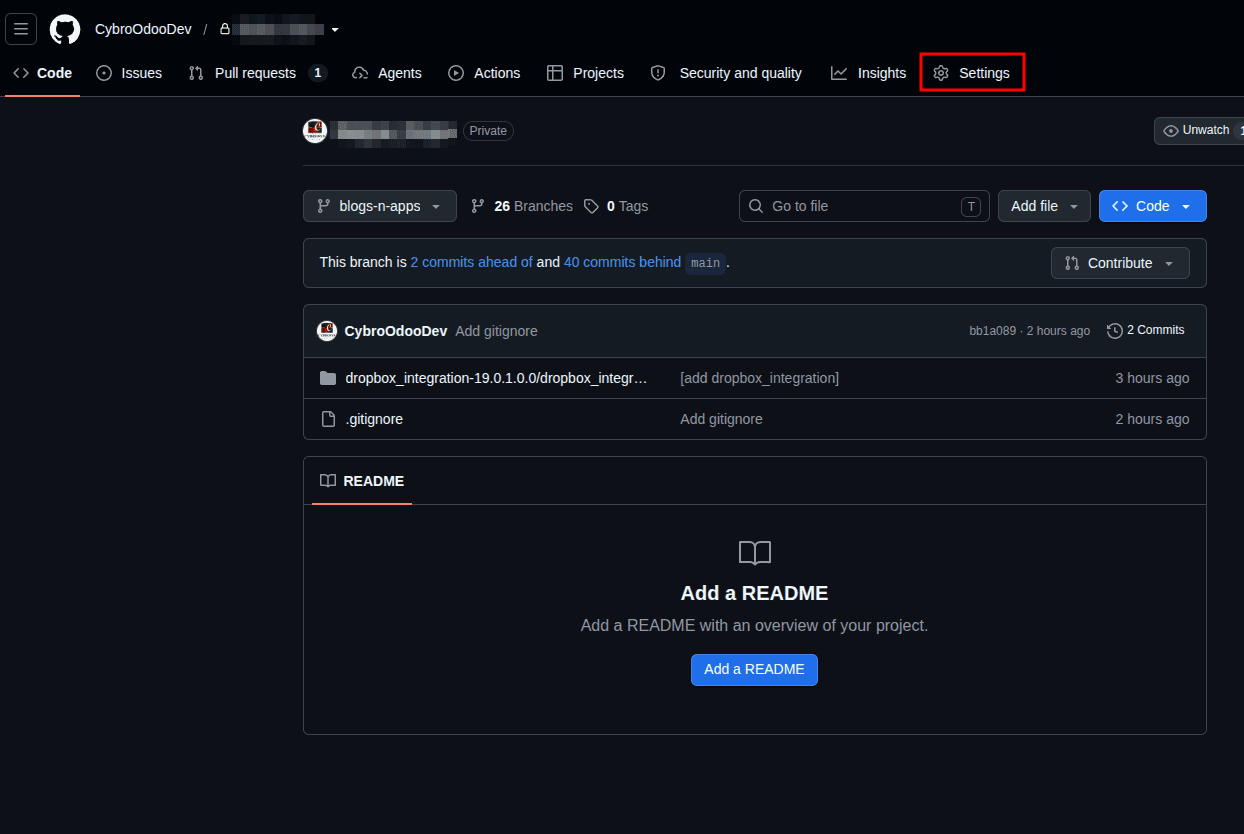
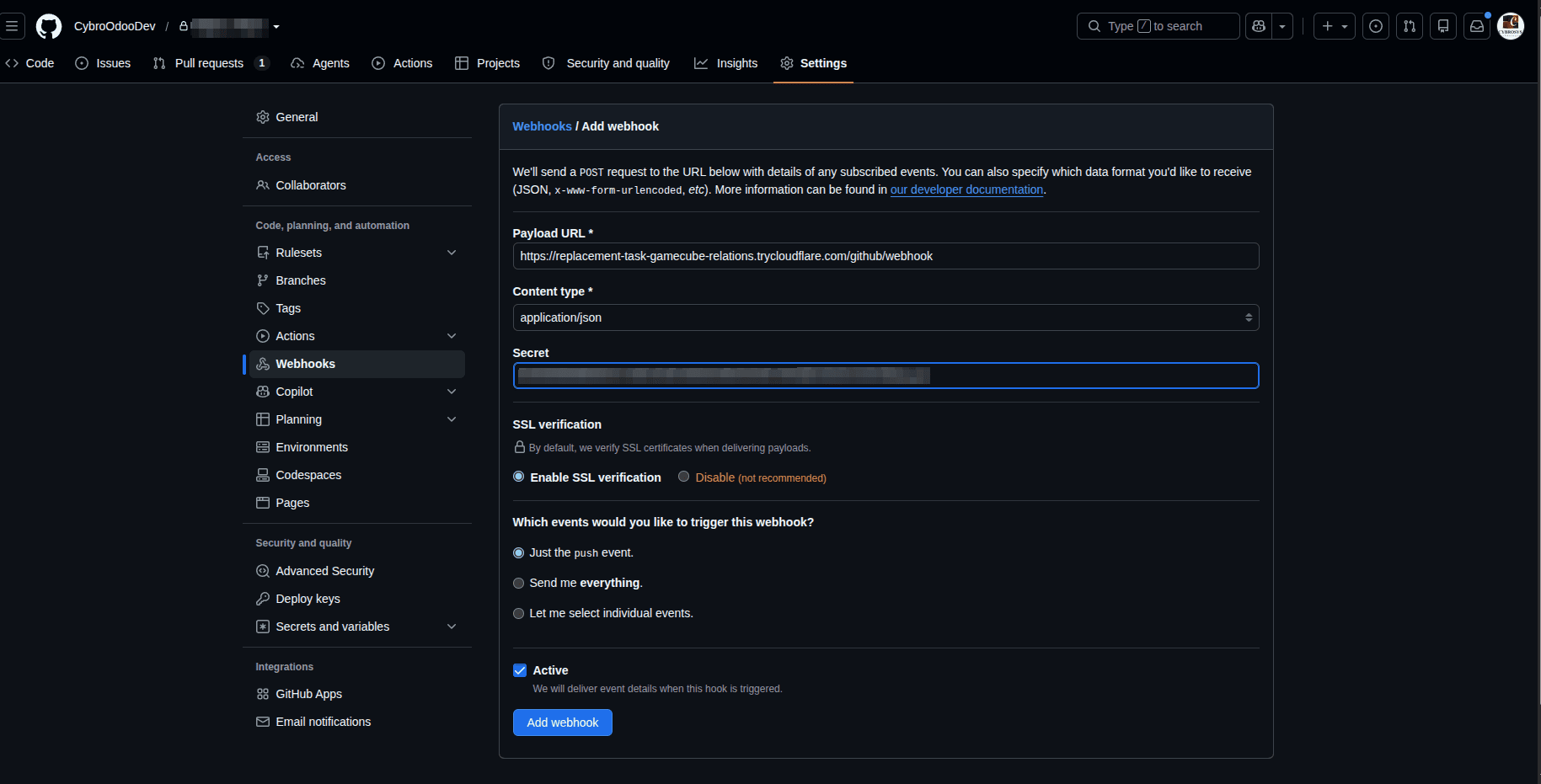
To configure the webhook, open the GitHub repository and go to the settings of the repo your custom code is linked to.
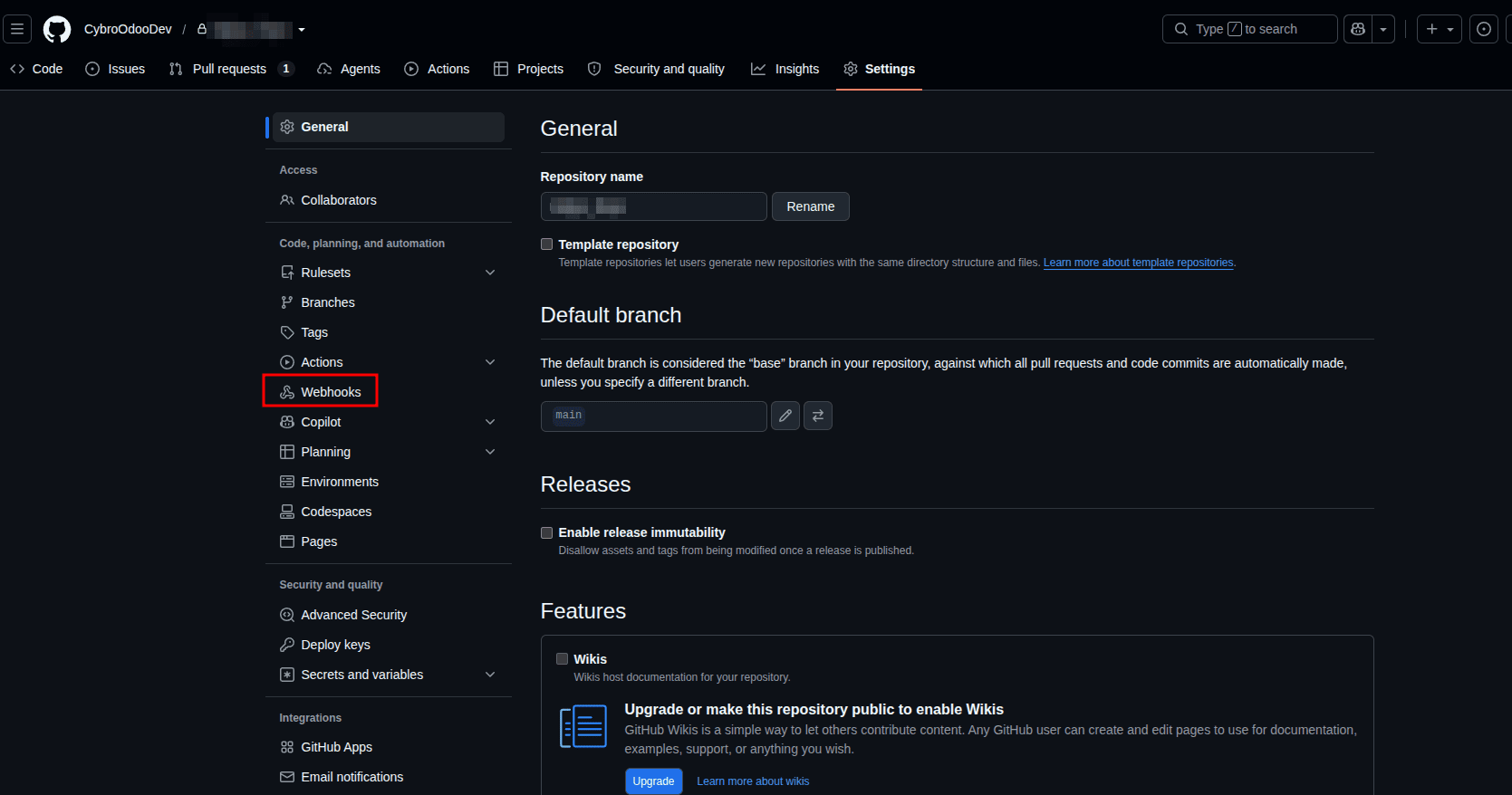
Click on webhooks.
Click on 'Add webhook'.
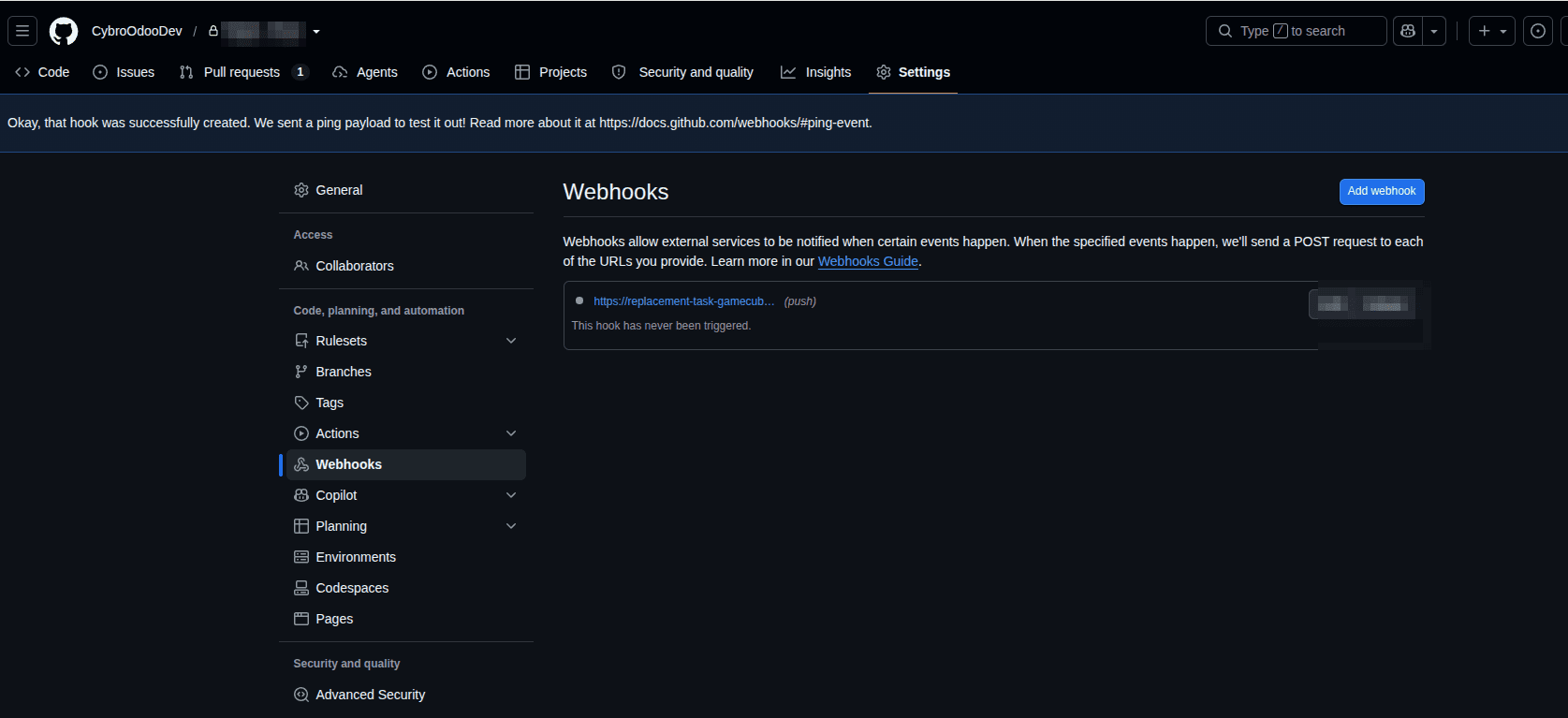
Here, you can provide the necessary details and create a webhook.
In the Payload URL field, enter the public URL generated by ngrok or Cloudflare, followed by the Odoo webhook route:
https://replacement-task-gamecube-relations.trycloudflare.com/github/webhook
Set the Content type to:
application/json
You can also add a secret which is used to verify that the webhook request actually came from GitHub and has not been modified.
You can generate a random number as a secret and place it in both places:
- GitHub Webhook > Secret
- Odoo server environment > GITHUB_WEBHOOK_SECRET
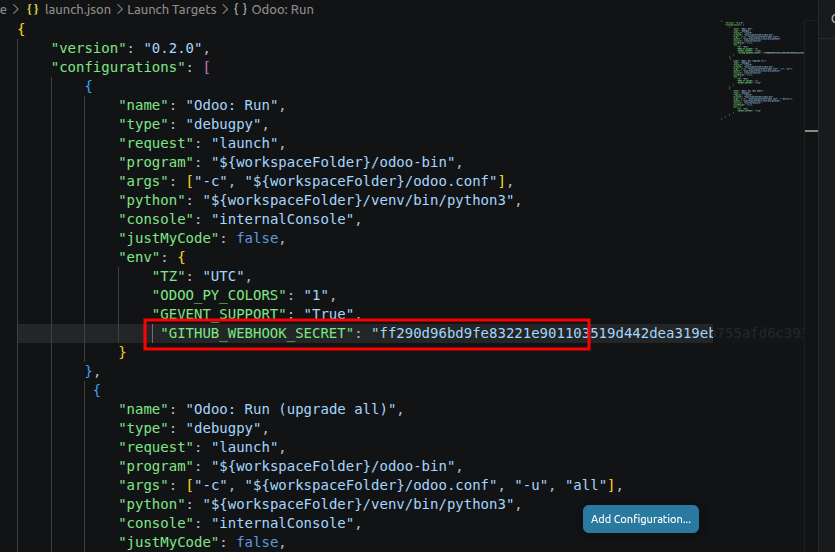
In the case of vs code, we can provide the GITHUB_WEBHOOK_SECRET in the launch.json.
In the case of pycharm, go to:
Run > Edit Configurations
Select the configuration you use to start Odoo.
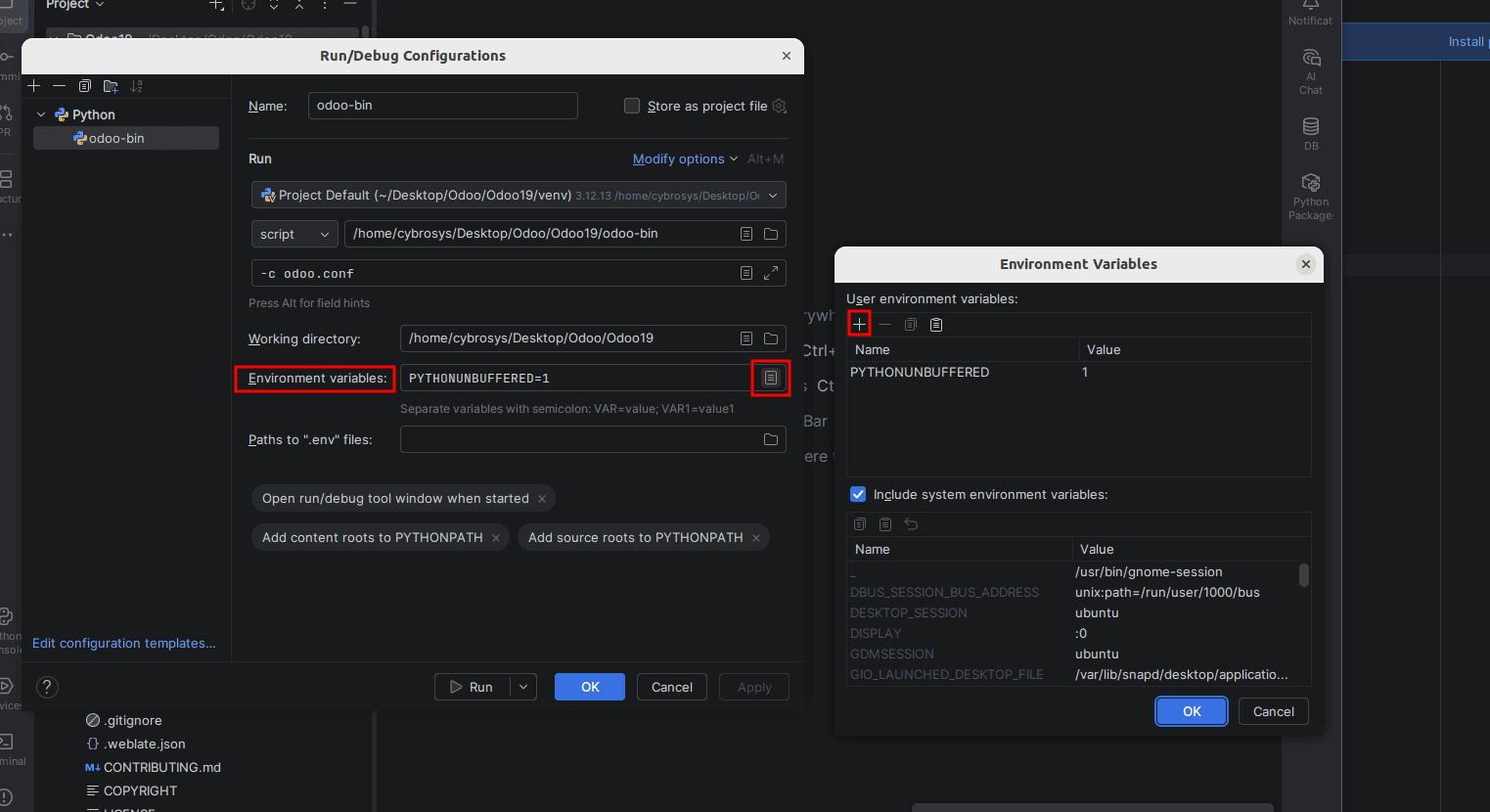
Click save and restart odoo.
This is important because environment variables are loaded when the Odoo process starts.
Paste this secret in the webhook configuration and click on ‘add webhook’
Now, let's create the webhook module.
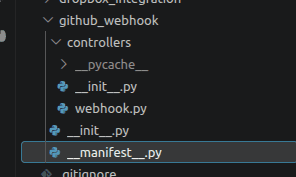
Controllers > webhook.py
Import hashlib
import hmac
import json
import os
from odoo import api, http, SUPERUSER_ID
from odoo.http import request
from odoo.modules.registry import Registry

class GitHubWebhookController(http.Controller):
   @http.route(
       "/github/webhook",
       type="http",
       auth="none",
       methods=["POST"],
       csrf=False,
   )
   def github_webhook(self, **kwargs):
       # Get webhook secret
       secret = os.environ.get("GITHUB_WEBHOOK_SECRET")
       if not secret:
           return http.Response(
               "Webhook secret is not configured",
               status=500,
           )
       # Get raw GitHub payload
       payload = request.httprequest.get_data()
       # Get GitHub signature
       signature = request.httprequest.headers.get(
           "X-Hub-Signature-256"
       )
       if not signature:
           return http.Response(
               "Missing signature",
               status=401,
           )
       # Calculate expected signature
       expected_signature = (
           "sha256="
           + hmac.new(
               secret.encode(),
               payload,
               hashlib.sha256,
           ).hexdigest()
       )
       # Verify signature
       if not hmac.compare_digest(
           signature,
           expected_signature,
       ):
           return http.Response(
               "Invalid signature",
               status=401,
           )
       # Check GitHub event
       event = request.httprequest.headers.get(
           "X-GitHub-Event"
       )
       if event != "push":
           return http.Response(
               "Ignored event",
               status=200,
           )
       # Parse JSON payload
       try:
           data = json.loads(payload)
       except json.JSONDecodeError:
           return http.Response(
               "Invalid JSON",
               status=400,
           )
       # Check branch
       ref = data.get("ref", "")
       if ref != "refs/heads/blogs-n-apps":
           return http.Response(
               "Ignored branch",
               status=200,
           )
       # Get commit information
       commit = data.get("head_commit") or {}
       commit_id = commit.get("id", "")[:8]
       commit_message = commit.get(
           "message",
           "",
       )
       author = (
           commit.get("author", {}).get("name")
           or "Unknown"
       )
       # ---------------------------------------------------------
       # Connect explicitly to the Odoo database
       # ---------------------------------------------------------
       db_name = "blog-test"
       with Registry(db_name).cursor() as cr:
           env = api.Environment(
               cr,
               SUPERUSER_ID,
               {},
           )
           # Find all internal users
           users = env["res.users"].search([
               ("share", "=", False),
           ])
           # Notification message
           message = (
               f"New code was pushed to blogs-n-apps.\n"
               f"Commit: {commit_id}\n"
               f"Author: {author}\n"
               f"Message: {commit_message}"
           )
           # Send notification to each internal user
           for user in users:
               if not user.partner_id:
                   continue
               env["bus.bus"]._sendone(
                   user.partner_id,
                   "simple_notification",
                   {
                       "type": "info",
                       "title": "GitHub Update",
                       "message": message,
                       "sticky": False,
                   },
               )
           # Commit the transaction
           cr.commit()
       return http.Response(
           "Notification sent",
           status=200,
       )
In the manifest.py.
   "name": "GitHub Webhook",
   "version": "19.0.1.0.0",
   "category": "Tools",
   "depends": [
       "base",
       "web",
       "bus",
   ],
   "installable": True,
   "application": False,
}
You can now install the module in Odoo. It will be available under the Apps section, but it will not appear as an app icon or as a visible application tile on the Apps dashboard (since we intended that way).
Now, whenever we push to GitHub, a pop-up notification will appear in Odoo.
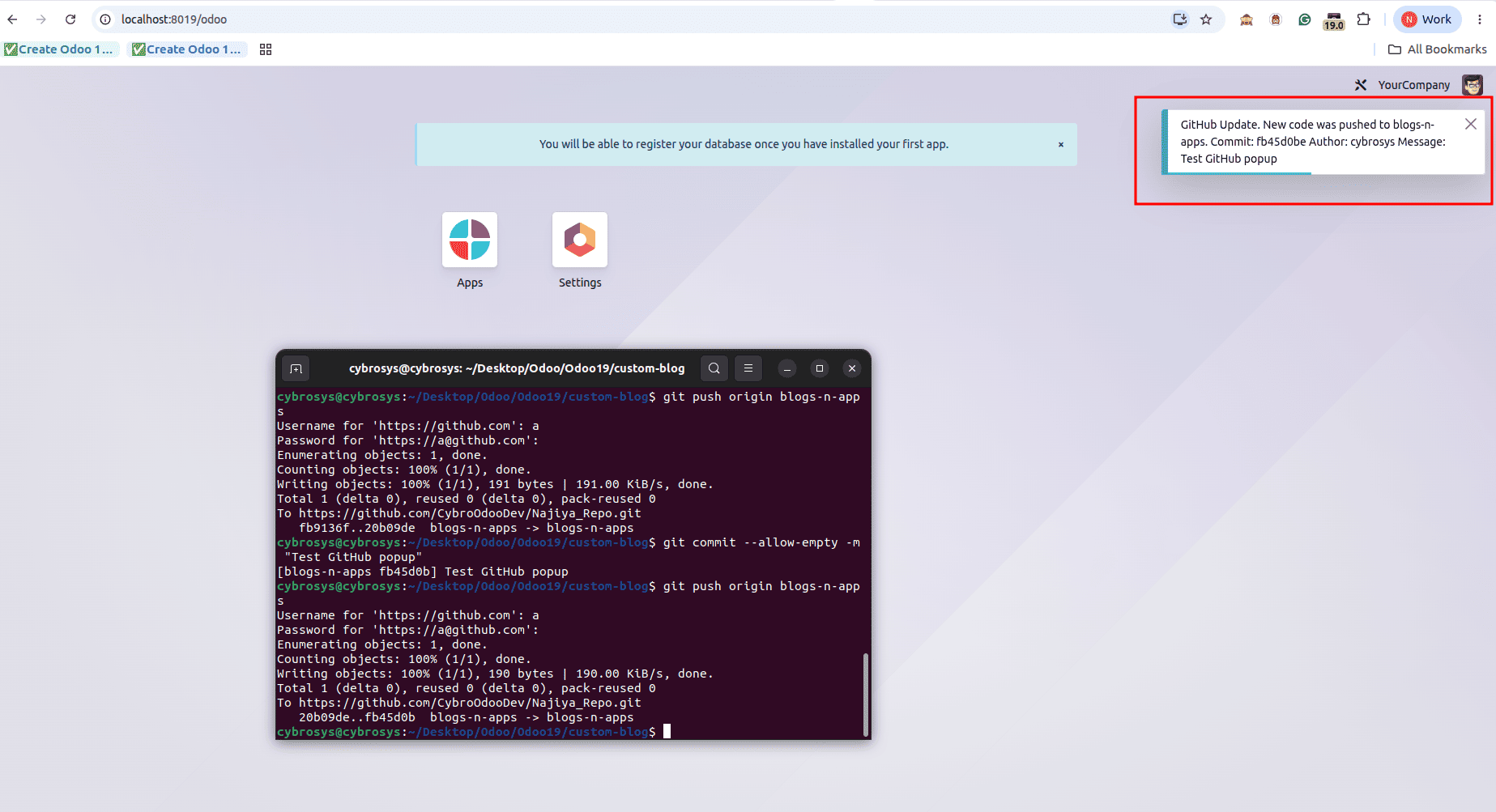
By connecting GitHub Webhooks with Odoo, we can receive real-time notifications whenever code is pushed to a specific branch. Using a secure webhook secret and a public tunnel such as Cloudflare Tunnel or ngrok, the local Odoo server can receive GitHub events and display them as notifications to users. This provides a simple foundation for future GitHub–Odoo automation.
To read more about How to Create Webhooks in Odoo 19, refer to our blog, How to Create Webhooks in Odoo 19.