Set up a completely functional Odoo system in just a few minutes without any prior server knowledge. Regardless of whether you run a business or a team, set up an Odoo without the need to hire a developer or rent a server. All the heavy lifting will be done on the back end for you. Here are the steps you should take to deploy your Odoo.
Step 1: Create Your Account
Go to Easy Instance website and click on "Get Started Free" to sign up using email, Google, or GitHub accounts. Registered users can sign in by clicking on "Sign In." Upon logging in, you are redirected to the Odoo Dashboard page.
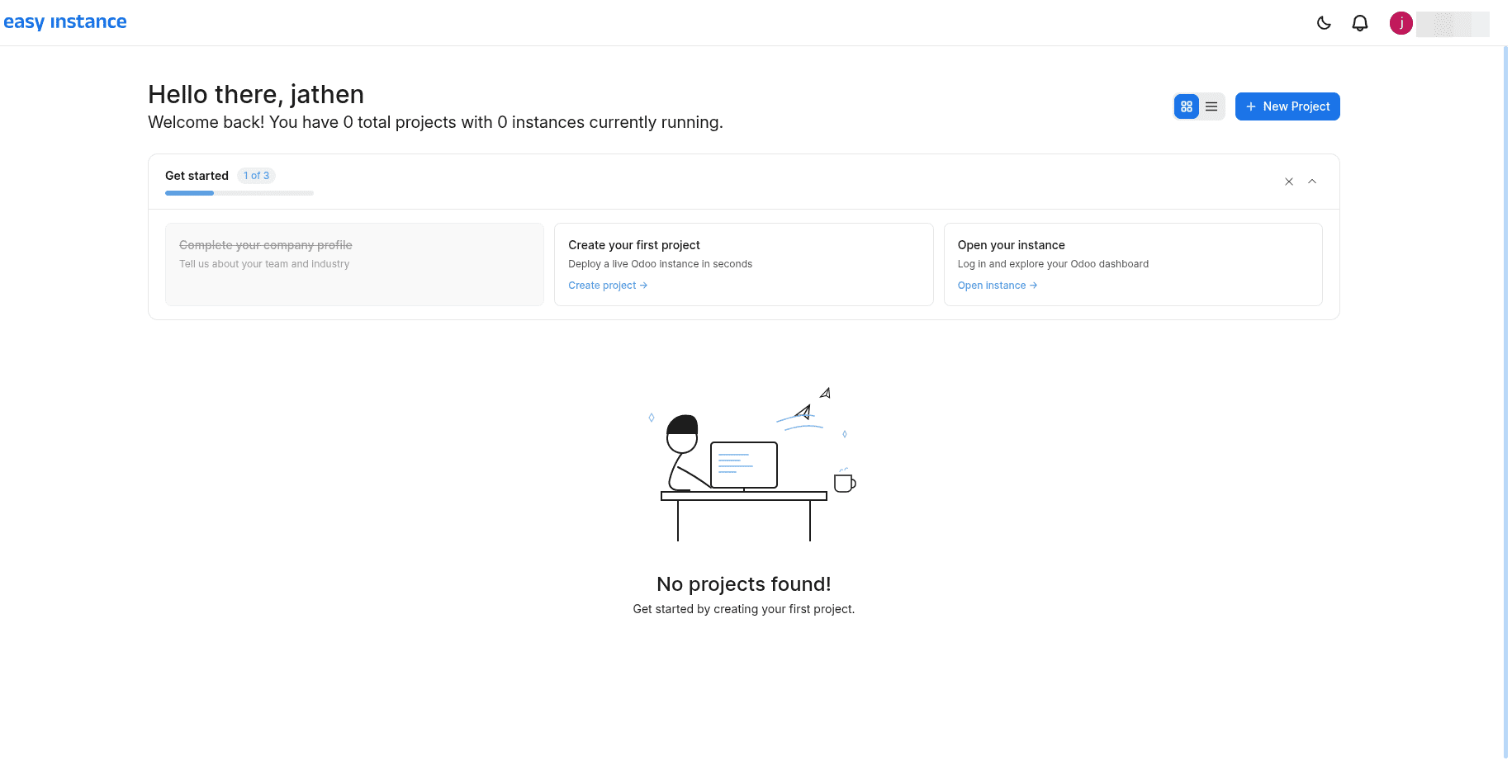
Once you have signed in, you will arrive at your Odoo deployment dashboard from where you will manage and see all deployed Odoo instances. In case it is your first login attempt, you will find your dashboard empty.
Step 2: Create a New Instance
Click on the "New Project" option from your dashboard, and you'll be asked to complete a setup form containing some basic information:
- Instance Name – Enter a unique name for your website; this can be the name of your organization (like yourname.easyinstance.com). Use only alphabetical characters, digits, and hypens.
- Odoo Version – Choose which version of Odoo you would like to have installed.
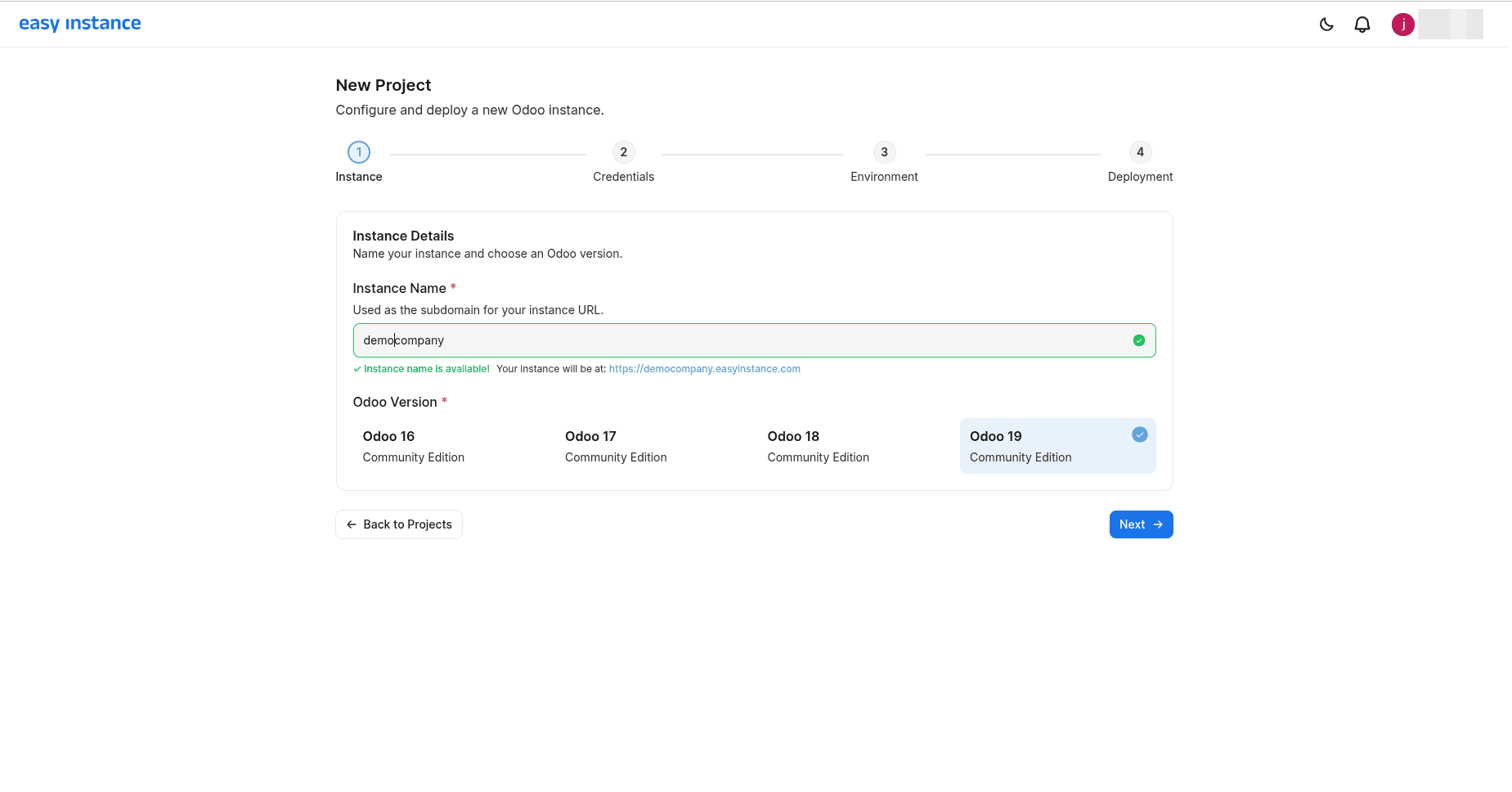
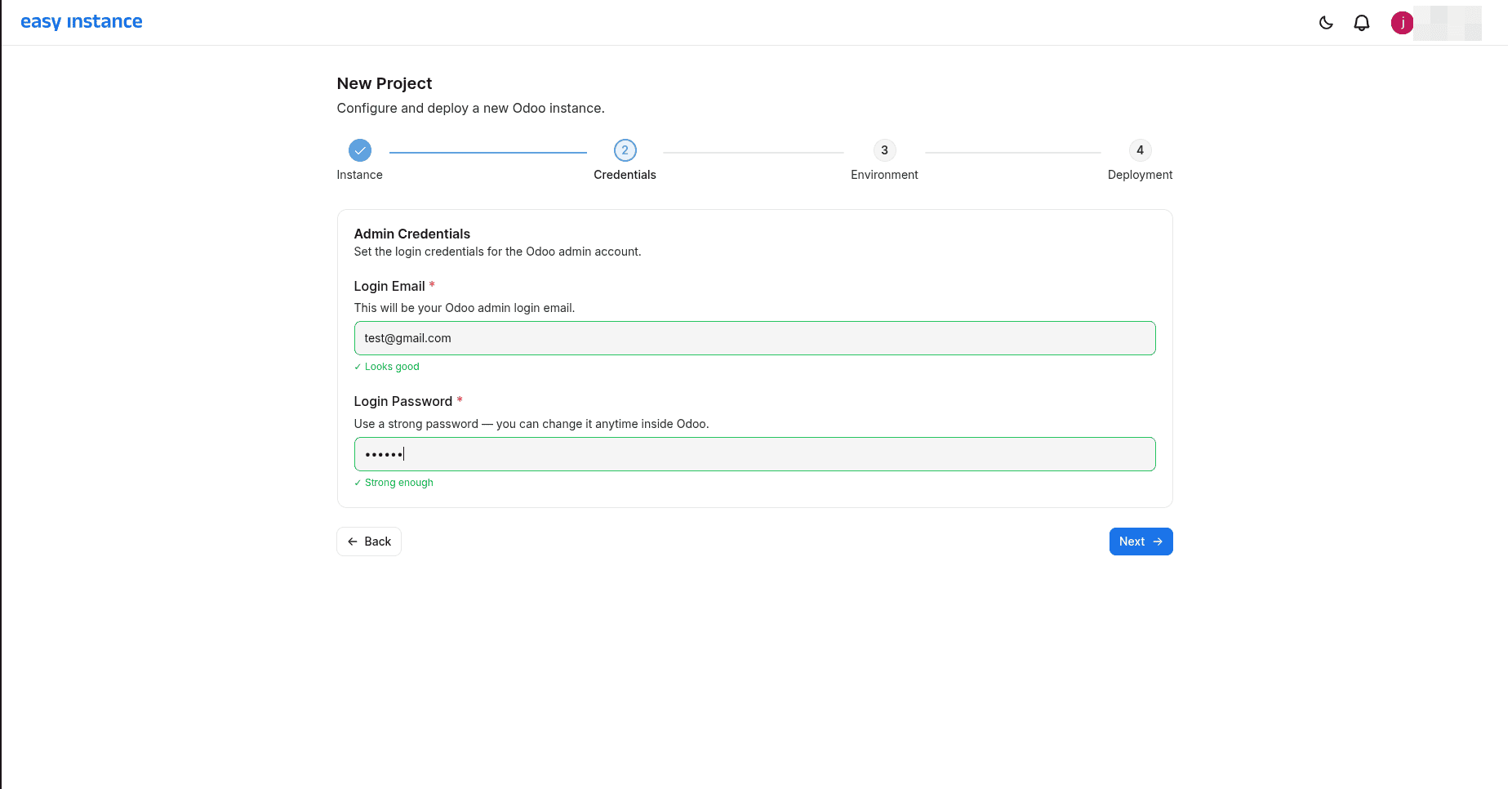
- Admin credentials - Set your admin login email and password to access your Odoo instance.
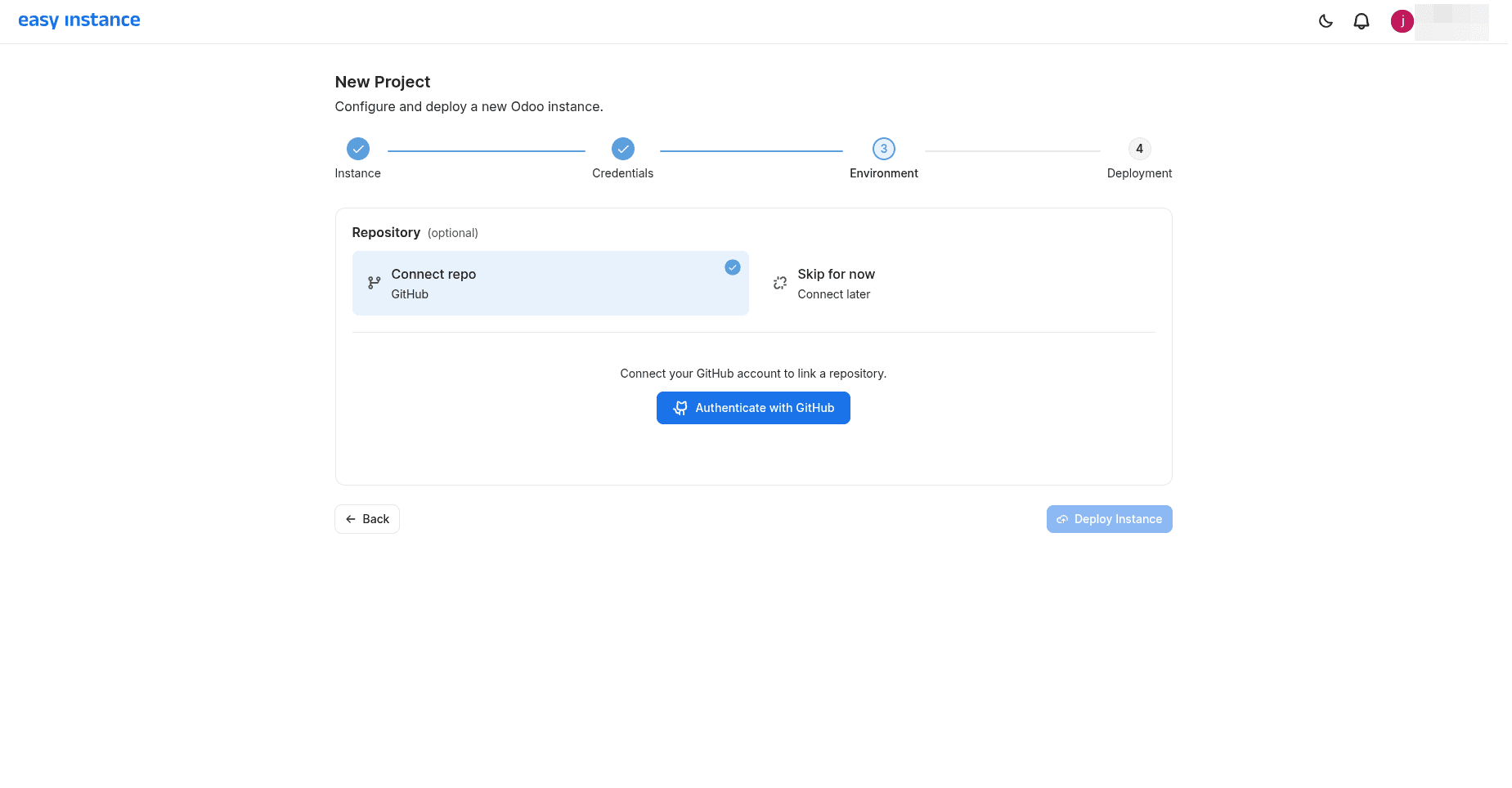
- GitHub Connection - Connect your GitHub account to your Odoo instance to link an existing repository and branch, or create a new repository to manage and add your custom modules.
Step 3:Confirm and Launch
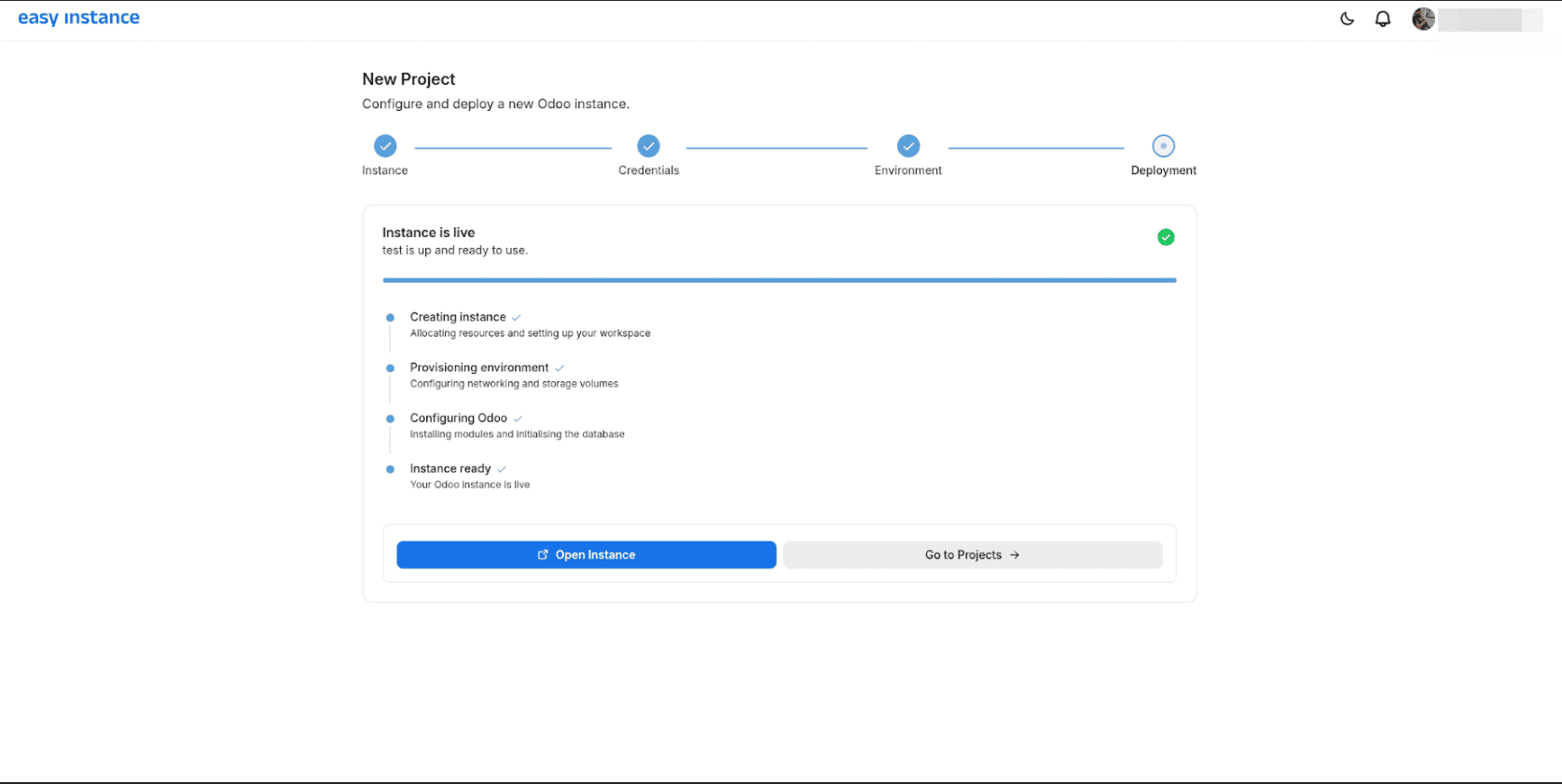
Review your selections and click "Deploy Instance".The deployment time is about 2 to 3 minutes. Upon the successful completion of the deployment, you will notice the buttons Open Instance and Go to Projects, where “Go to Projects” will direct you to the projects page.
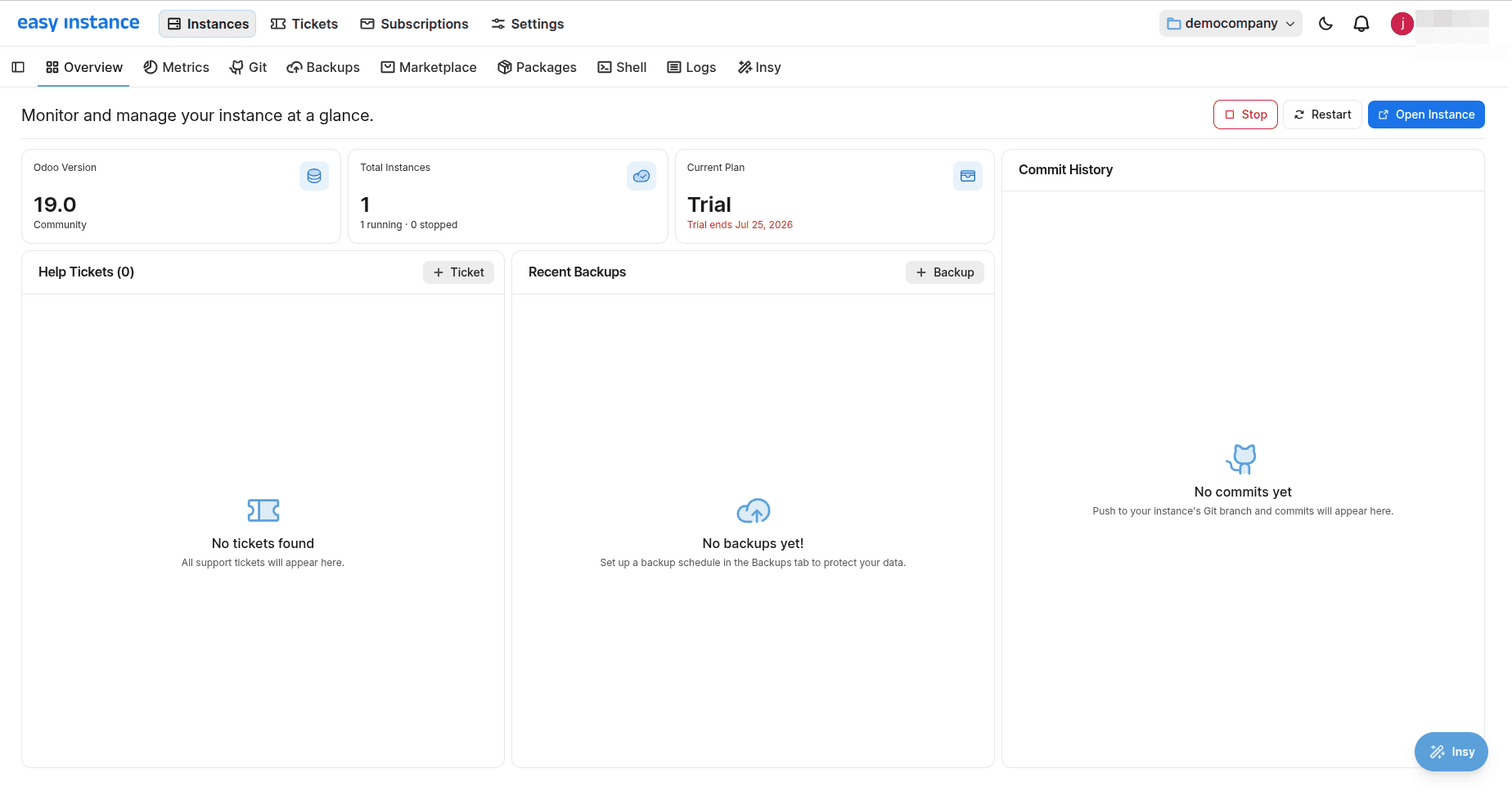
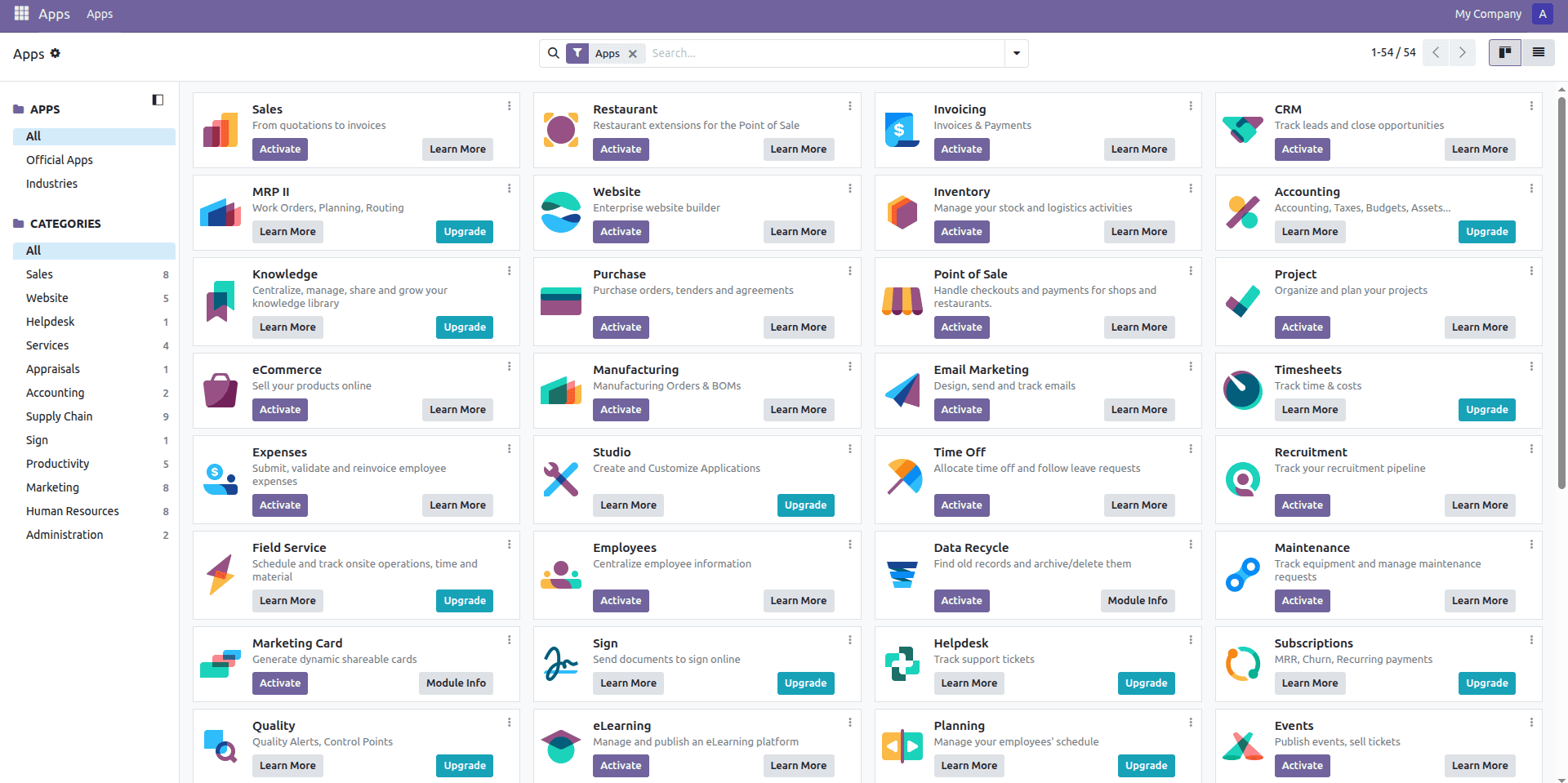
Clicking “Open Instance” will redirect you to the Odoo login page, where you can log in and access your Odoo instance.
With EasyInstance, the process of Odoo installation becomes instantaneous and easy. Tasks that used to take knowledge of servers and developer support can now be done in seconds, all you need is to sign up, set some settings, and deploy.
To read more about A Complete Comparison Guide to Odoo Deployment Options, refer to our blog A Complete Comparison Guide to Odoo Deployment Options.