Modern ERP software connects every part of a business operation. However, as these systems grow and add more users, verifying user identity is becoming a major challenge. Traditional username-and-password approaches often lead to poor user experience, password fatigue, security risks, and fragmented identity management—especially when employees must access multiple internal and external applications daily.
This is where Single Sign-On (SSO) becomes essential. SSO allows users to authenticate once and gain access to multiple systems without repeated logins. For enterprises, this means:
- Improved user experience and productivity
- Centralized identity and access management
- Stronger security policies (MFA, password rules, session control)
- Easier onboarding and offboarding of users
In the context of ERP platforms, SSO is no longer a “nice to have” feature—it is a core enterprise requirement.
To address these challenges, we will use Keycloak as the centralized identity and access management solution and integrate it with Odoo 18.
Keycloak will act as the single source of truth for authentication, handling user login, password policies, multi-factor authentication, and session management. Odoo 18, instead of managing credentials locally, will delegate authentication to Keycloak using standard protocols such as OpenID Connect (OIDC). This allows users to log in once via Keycloak and seamlessly access Odoo without additional credentials.
In this setup:
- Keycloak manages users, roles, and security policies centrally
- Odoo 18 trusts Keycloak as an external authentication provider
- User accounts in Odoo are automatically linked or created based on identity data received from Keycloak
Throughout this article, we will walk through how to configure Keycloak, connect it to Odoo 18, and ensure a secure and scalable SSO implementation suitable for enterprise environments.
Keycloak Installation & Configuration
For this integration, we’ll run Keycloak using Docker Compose, backed by a PostgreSQL database. This setup is lightweight, reproducible, and ideal for local development (and can be production-hardened later with proper TLS and reverse proxying).
Create a file named compose.yml
services:
  postgres:
    image: postgres:15
    restart: unless-stopped
    environment:
      POSTGRES_USER: keycloak
      POSTGRES_PASSWORD: keycloak
      POSTGRES_DB: keycloak
    volumes:
      - ./db_data:/var/lib/postgresql/data
  keycloak:
    image: quay.io/keycloak/keycloak:26.5.0
    command: start
    depends_on:
      - postgres
    ports:
      - "127.0.0.1:8080:8080"
    environment:
      # Admin user
      KC_BOOTSTRAP_ADMIN_USERNAME: admin
      KC_BOOTSTRAP_ADMIN_PASSWORD: admin
      # Database config
      KC_DB: postgres
      KC_DB_URL: jdbc:postgresql://postgres:5432/keycloak
      KC_DB_USERNAME: keycloak
      KC_DB_PASSWORD: keycloak
      KC_DB_SCHEMA: public
      KC_PROXY: edge
      KC_PROXY_HEADERS: xforwarded
      KC_HTTP_ENABLED: "true"
      KC_HOSTNAME_STRICT: "false"
From the directory containing your compose.yml, run:
docker compose up -d
Once Keycloak is up, open:
- Keycloak Admin Console: http://127.0.0.1:8080
- Login with:
This will be your temporary admin username and password you can later setup a permanent one for production. After login we will be redirected to the keycloak admin dashboard. From here we can set up a dedicated realm for odoo authentication
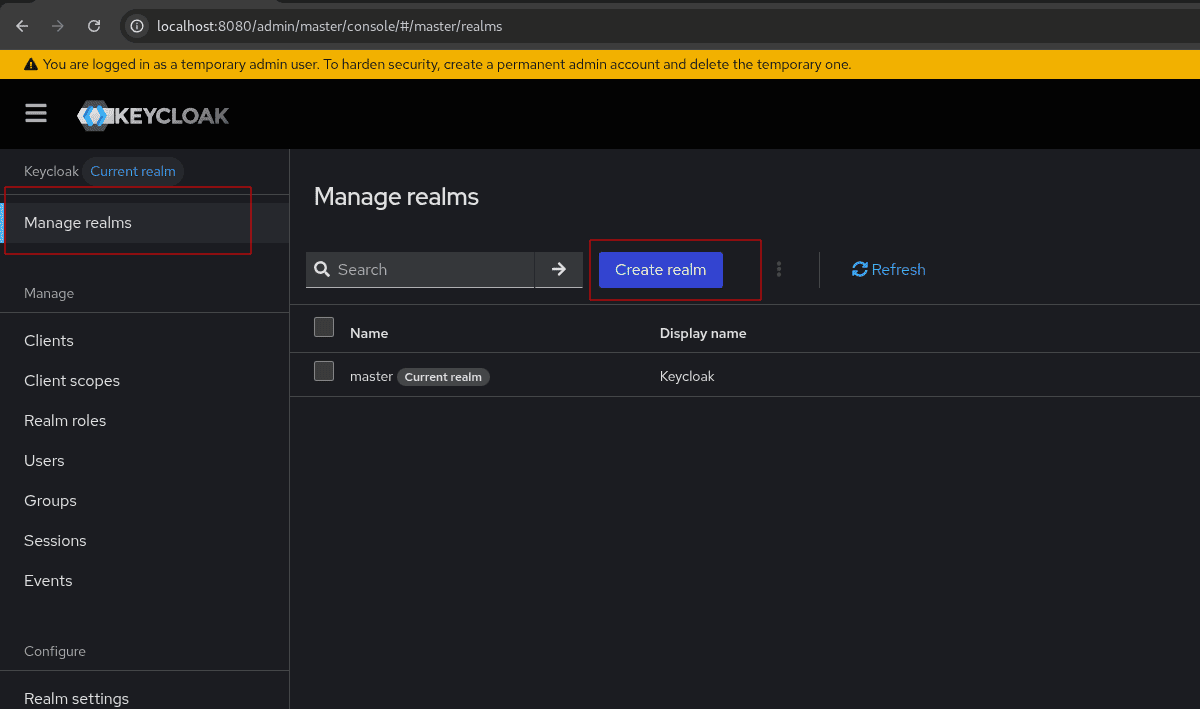
After creating a realm named ‘odoo’ we can add keycloak users in odoo realm. Make sure you realm showing on top left is ‘odoo’ when creating a new user.
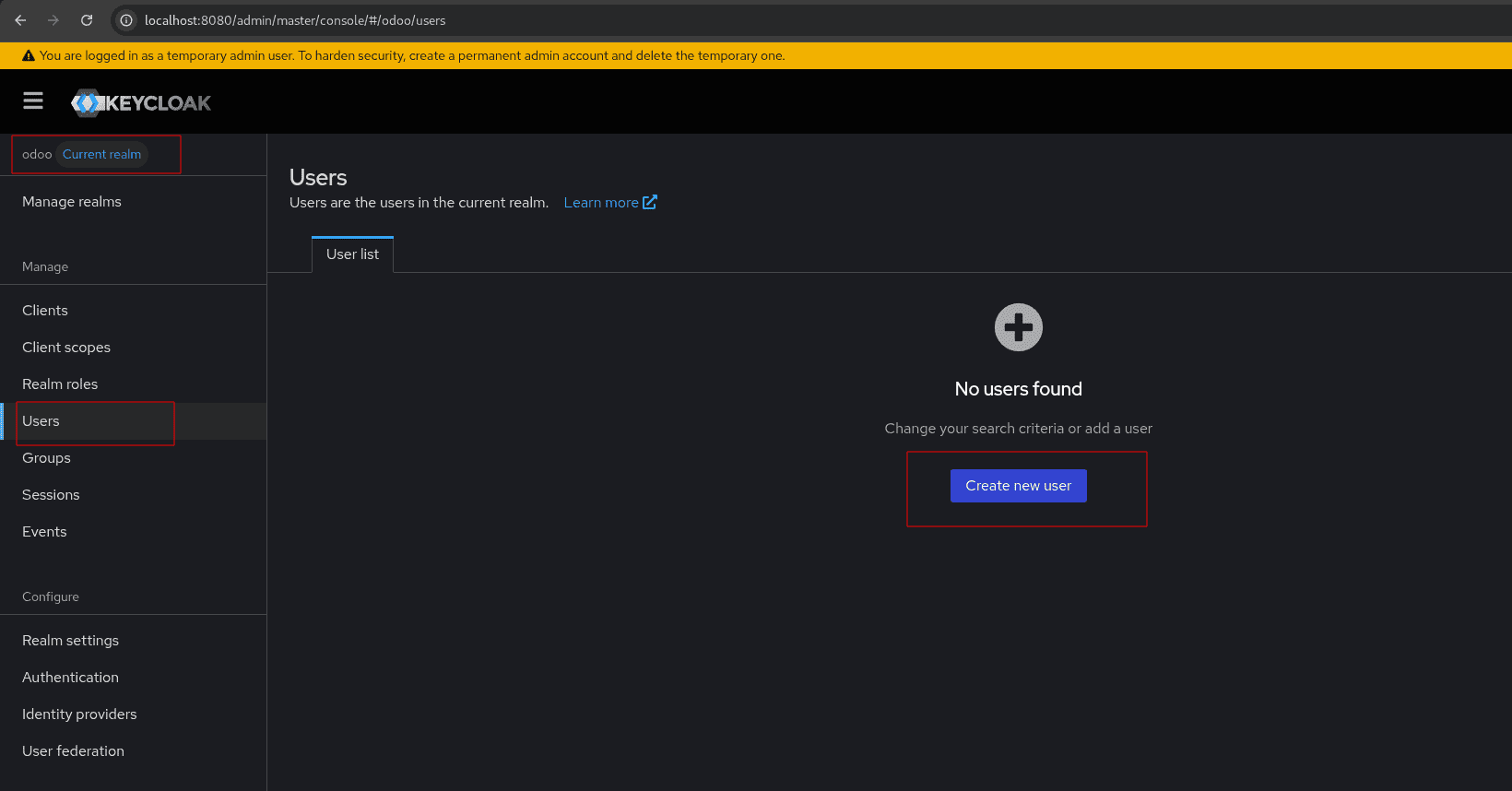
After creating the user you can set a temporary password for the user which the user will be asked to change when logging in for the first time.
Now we need to set up a client for the realm.
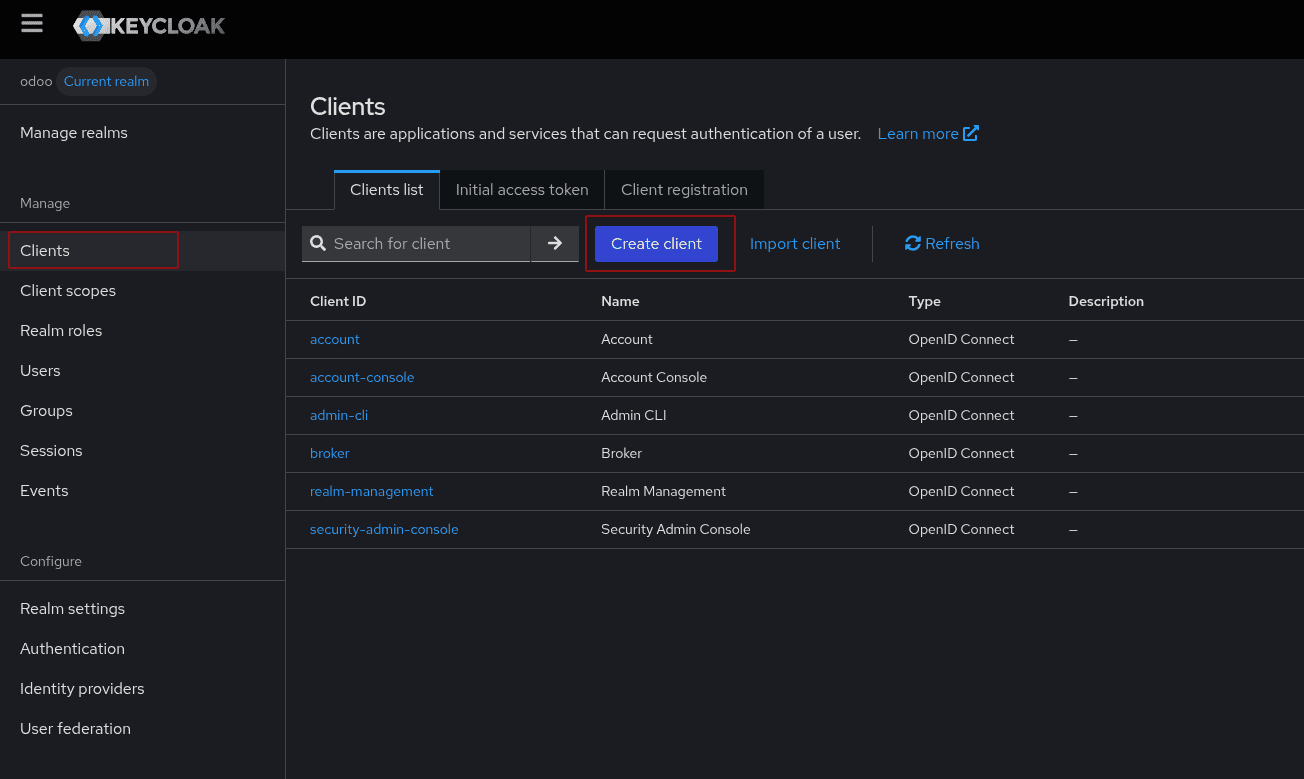
Set up a client id in general settings.
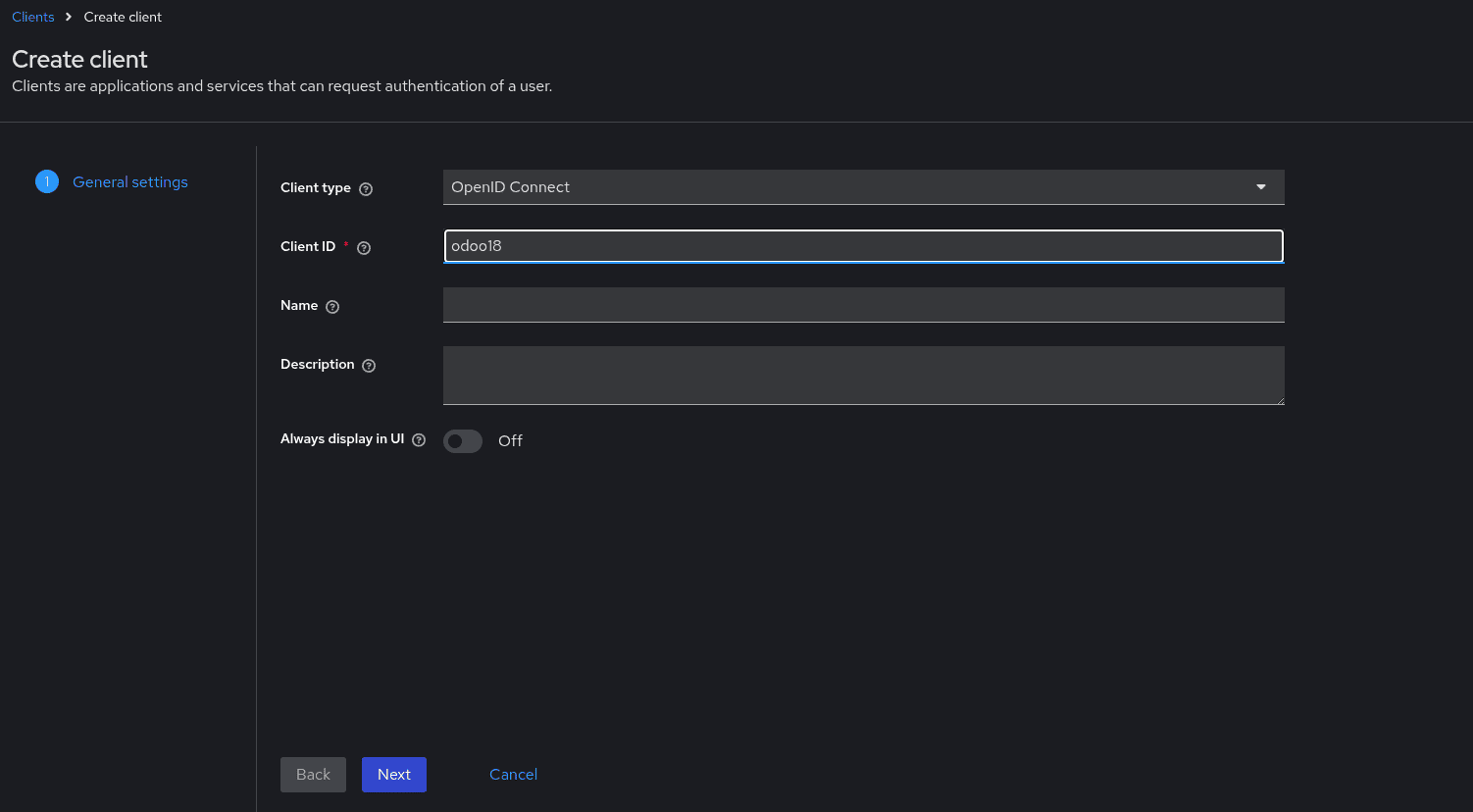
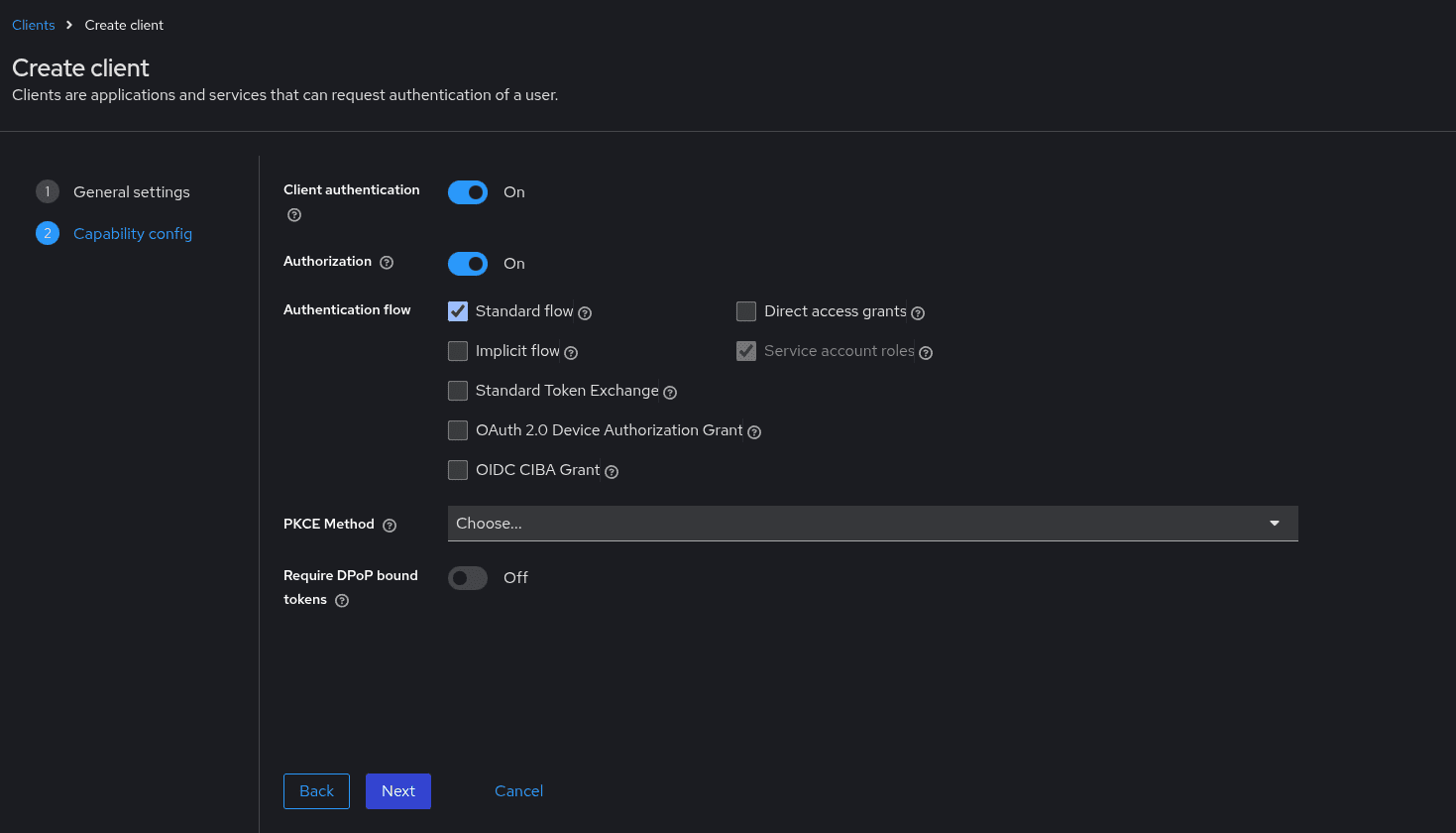
Configure the capability configuration as shown in the image below.
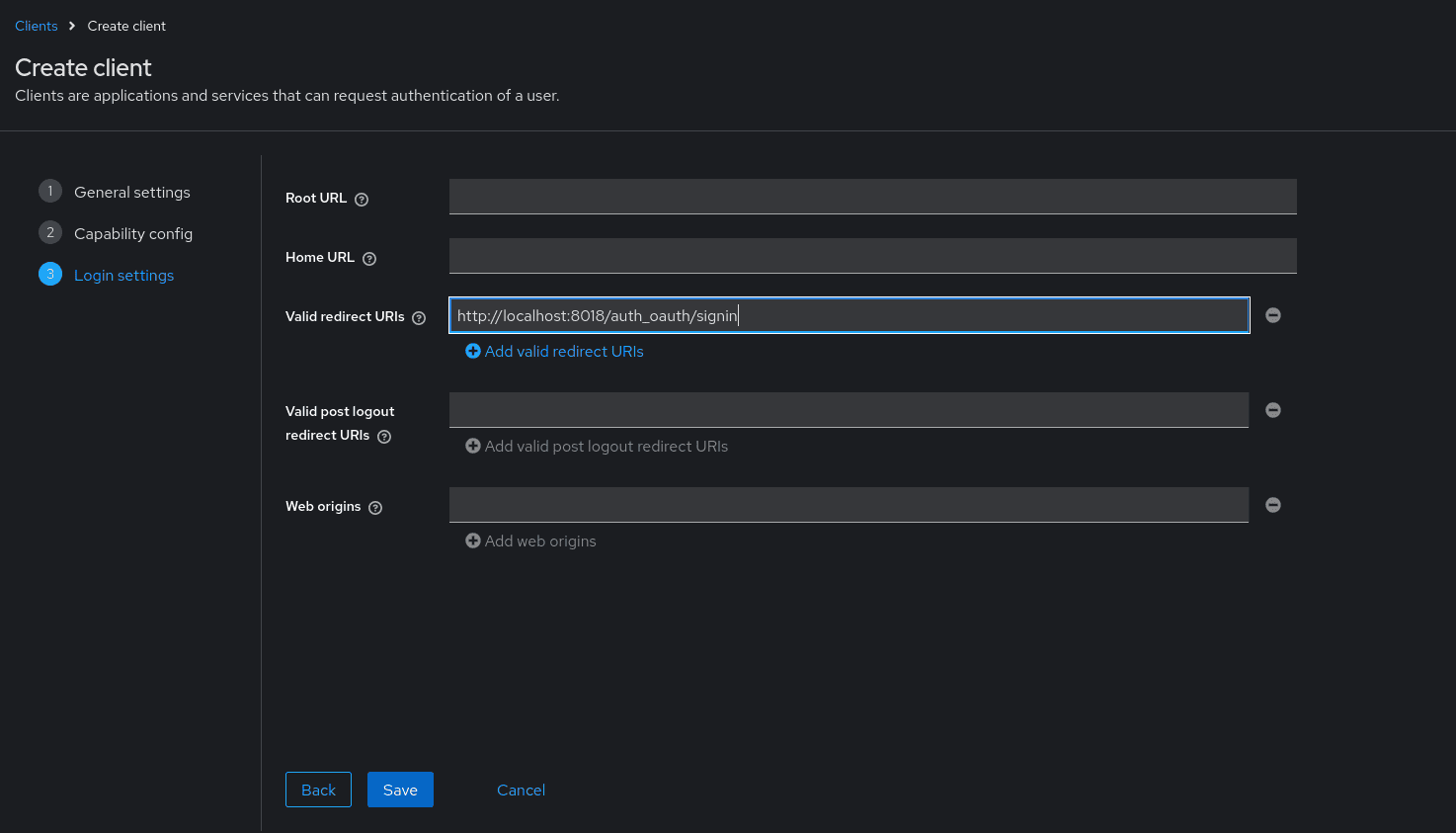
Configure the login settings as shown below with your odoo url and click save.
Odoo Configuration
In this part of the guide, we’re going to connect Odoo 18 to Keycloak. We’ll do this by configuring Odoo to use the OCA auth_oidc module, which lets Odoo act as an OpenID Connect (OIDC) client. Concretely, we can download the module from Odoo Community Association (OCA).
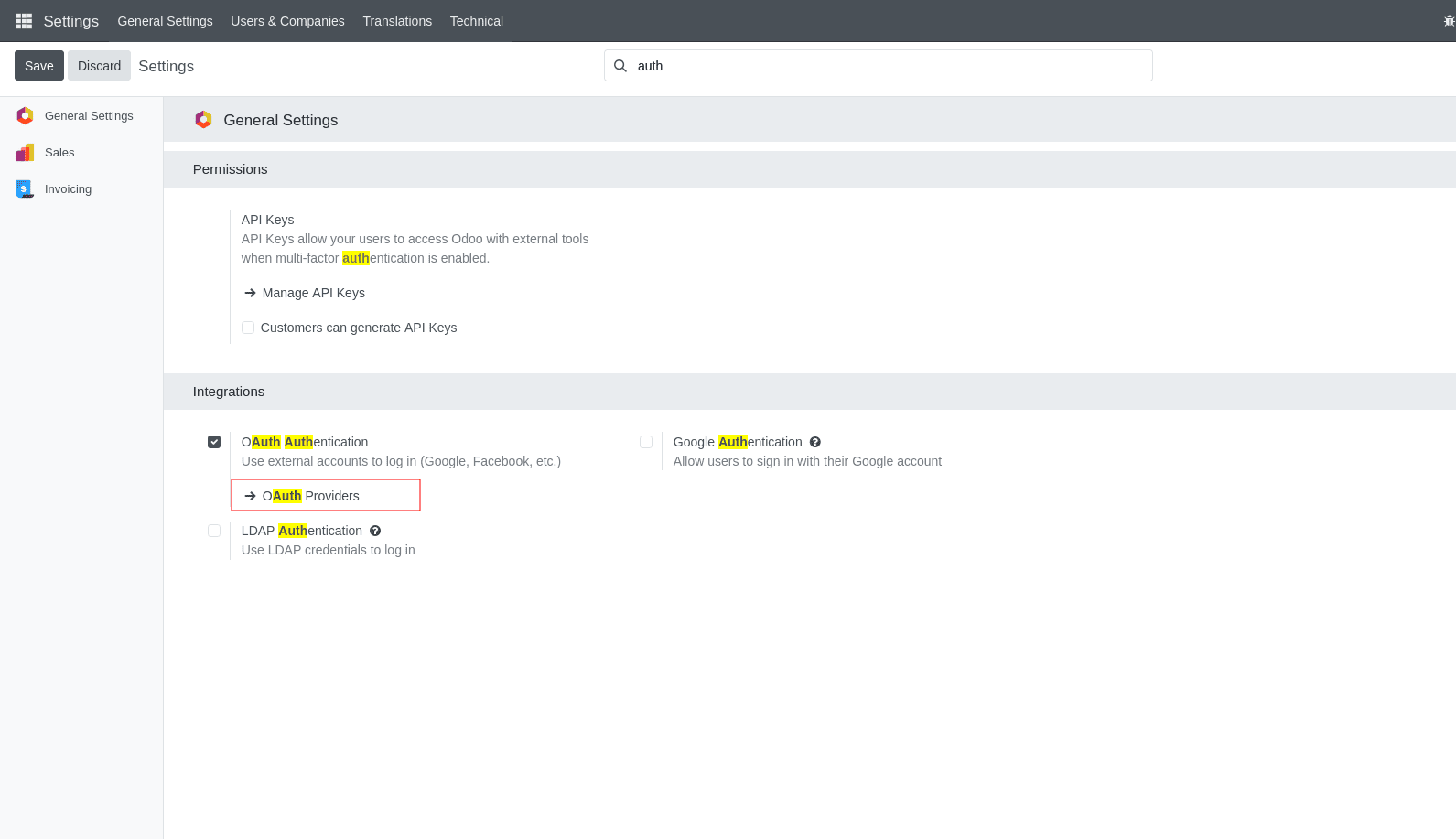
After installing the module we can set up a new auth provider inside odoo default auth providers.
We can set up keycloak configuration for the auth provider as shown below.
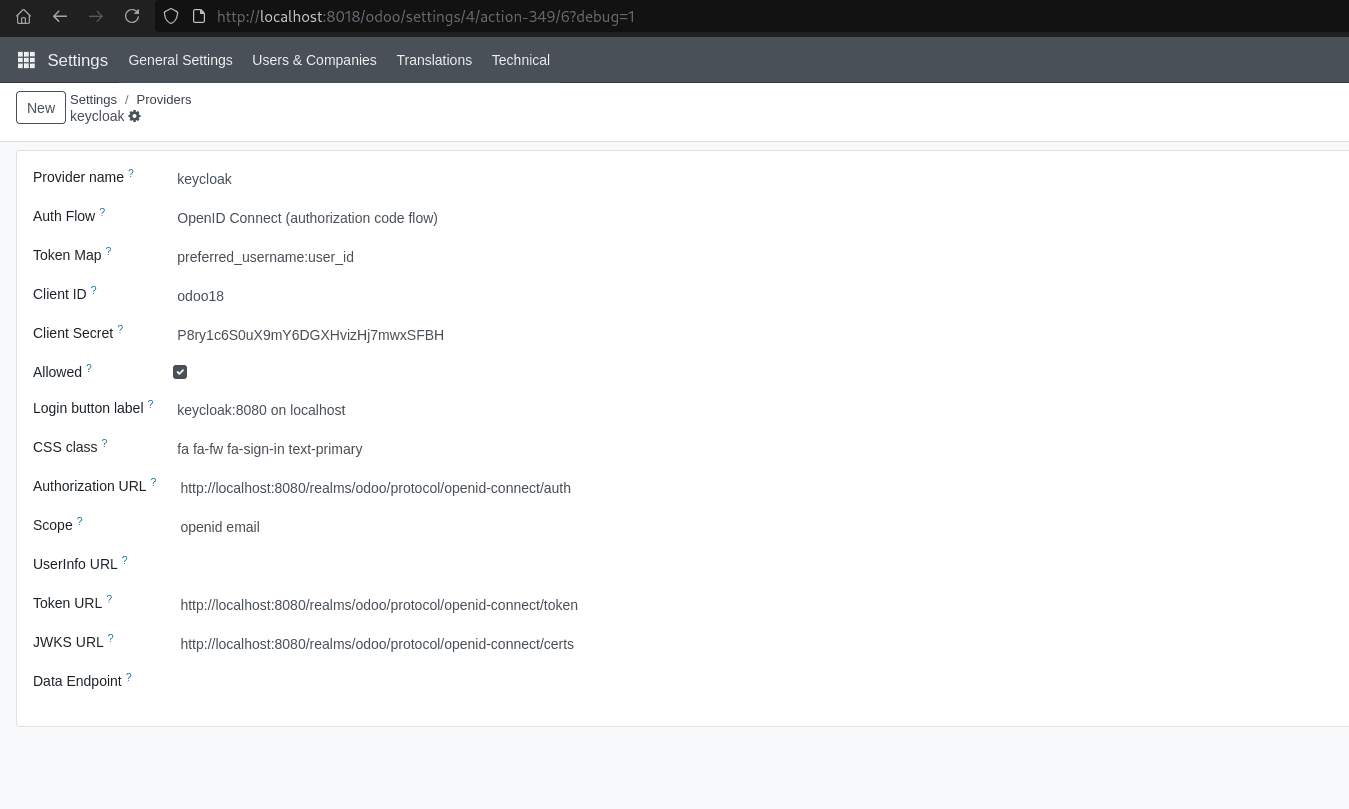
We can get the client secret from the credential tab of the keycloak client inside the Odoo18 client we created.
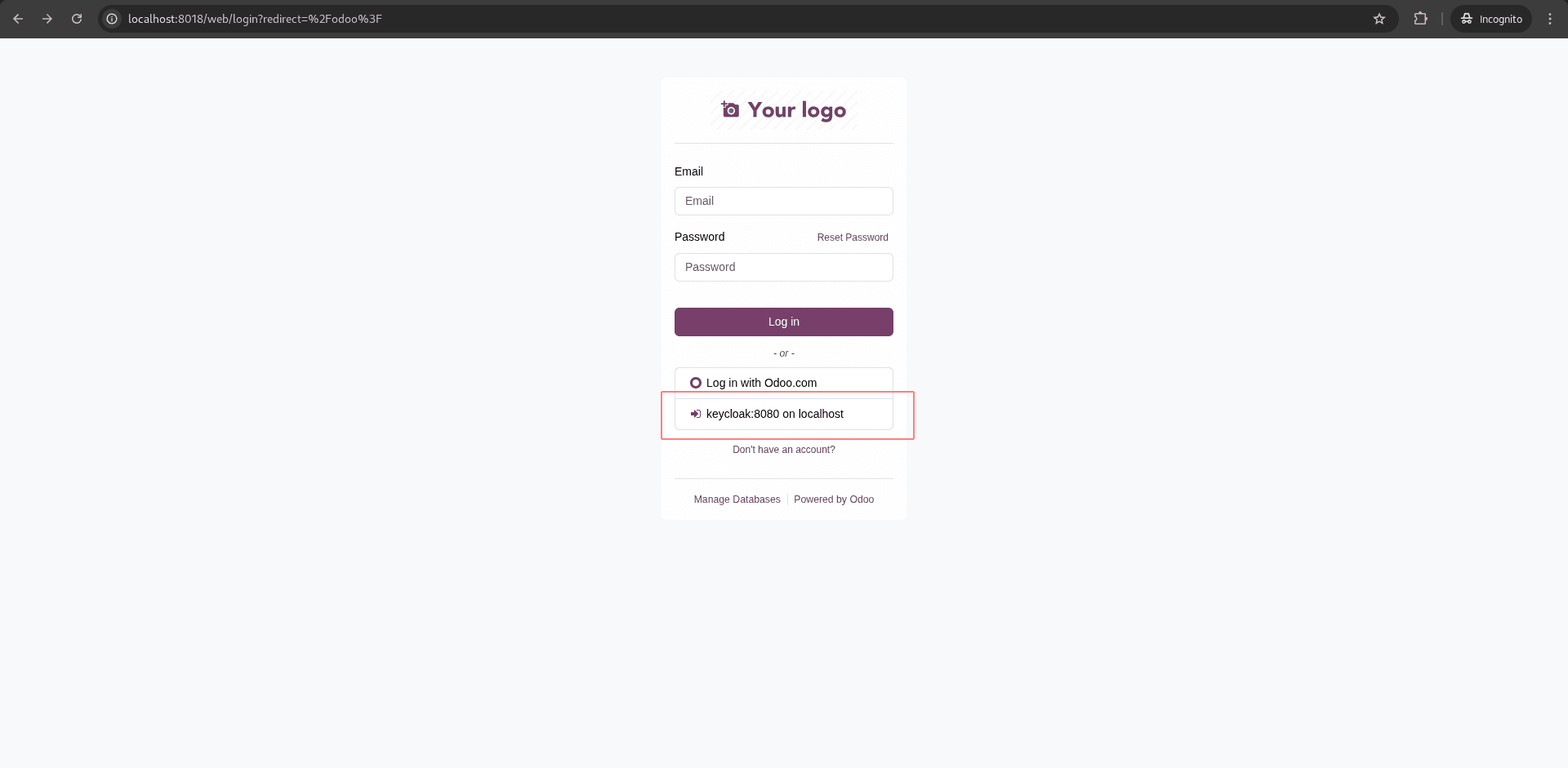
Now, when we go to Odoo's login page, we can see an option to log in with keycloak, which will redirect to the login page of keycloak. We can use the test user credentials we created inside keycloak.
This blog walks through a complete, end-to-end guide to integrating Keycloak with Odoo 18 using OpenID Connect (OIDC). It starts with setting up and configuring Keycloak as a centralized identity provider, then moves on to connecting Odoo using the OCA auth_oidc module. By the end, you’ll have a secure single sign-on (SSO) solution where user authentication is handled by Keycloak, eliminating duplicate credentials and simplifying identity management across your Odoo system.
To read more about Overview of Google and Outlook Integration in Odoo 18,refer to our blog Overview of Google and Outlook Integration in Odoo 18.